NewMac and Windows desktop app, included with Pro

Simple church presentation software

Present scripture, lyrics, announcements, and media. Put several Bible languages side by side so everyone can follow, including translations you add yourself.

See it in action

No credit card or signup required

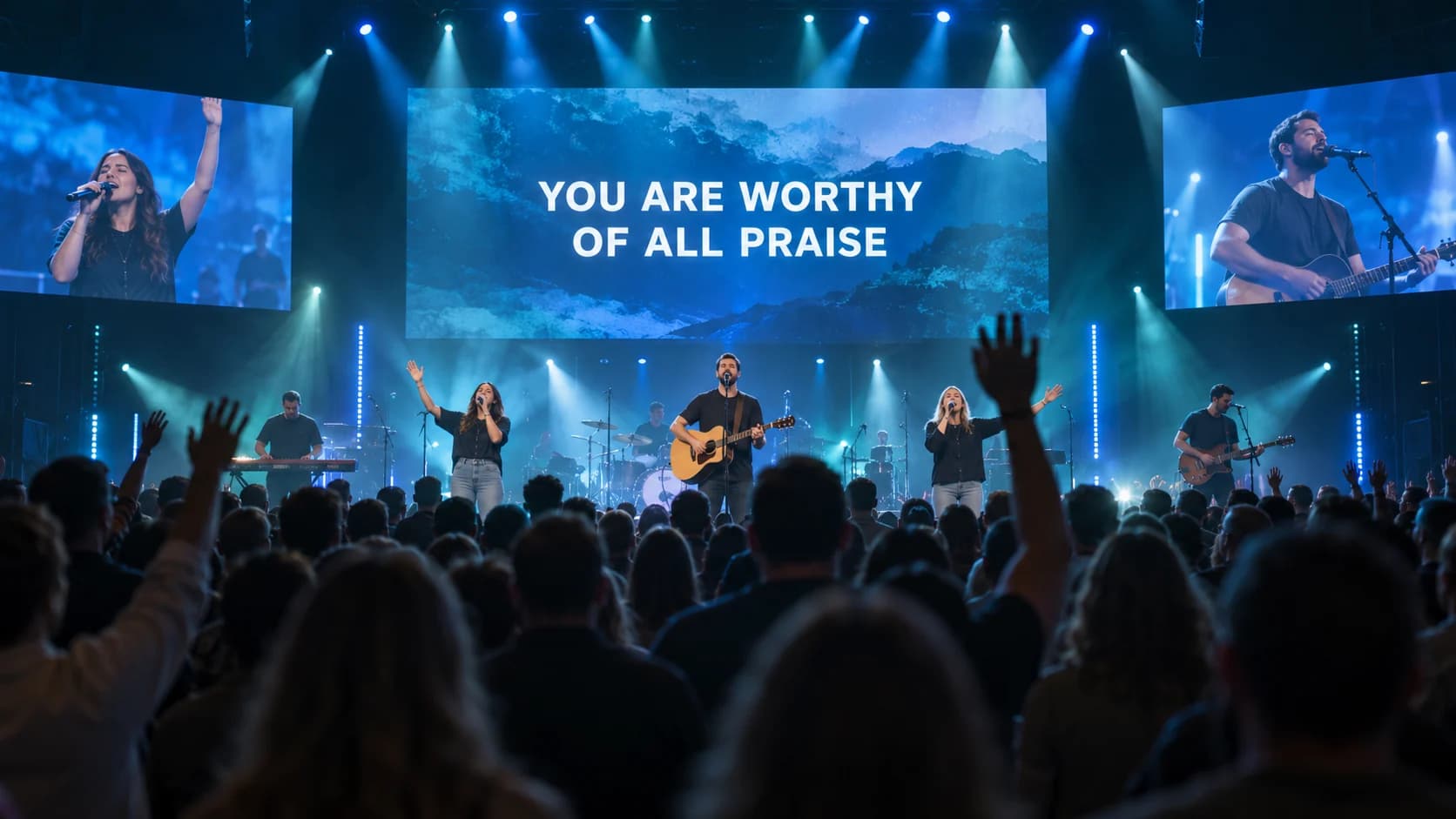
A worship band leading a congregation with raised hands, the LED wall showing You are worthy of all praise between two close-up screens
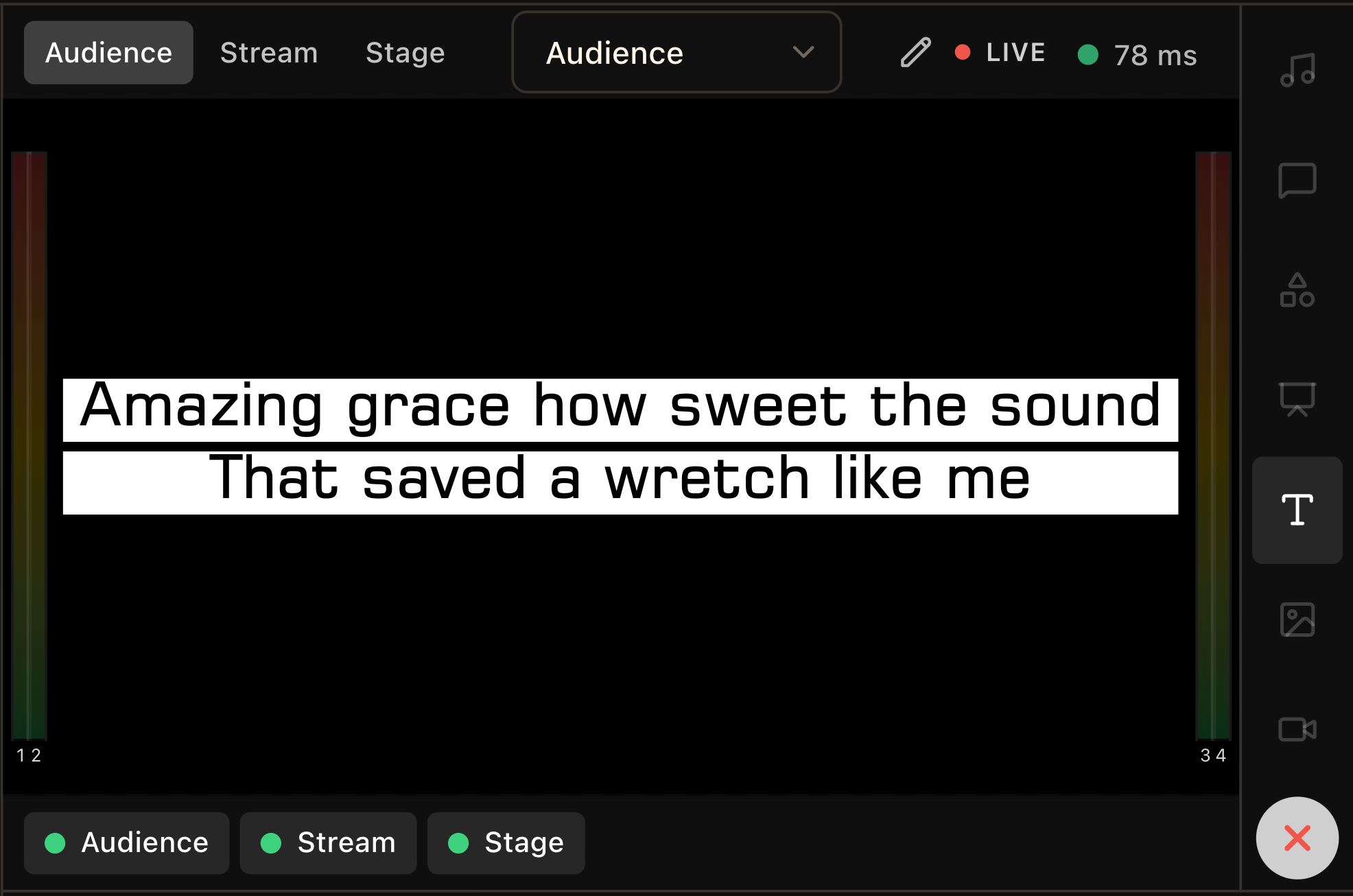
LlamaPresenter Studio's live audience preview showing lyrics and output controls
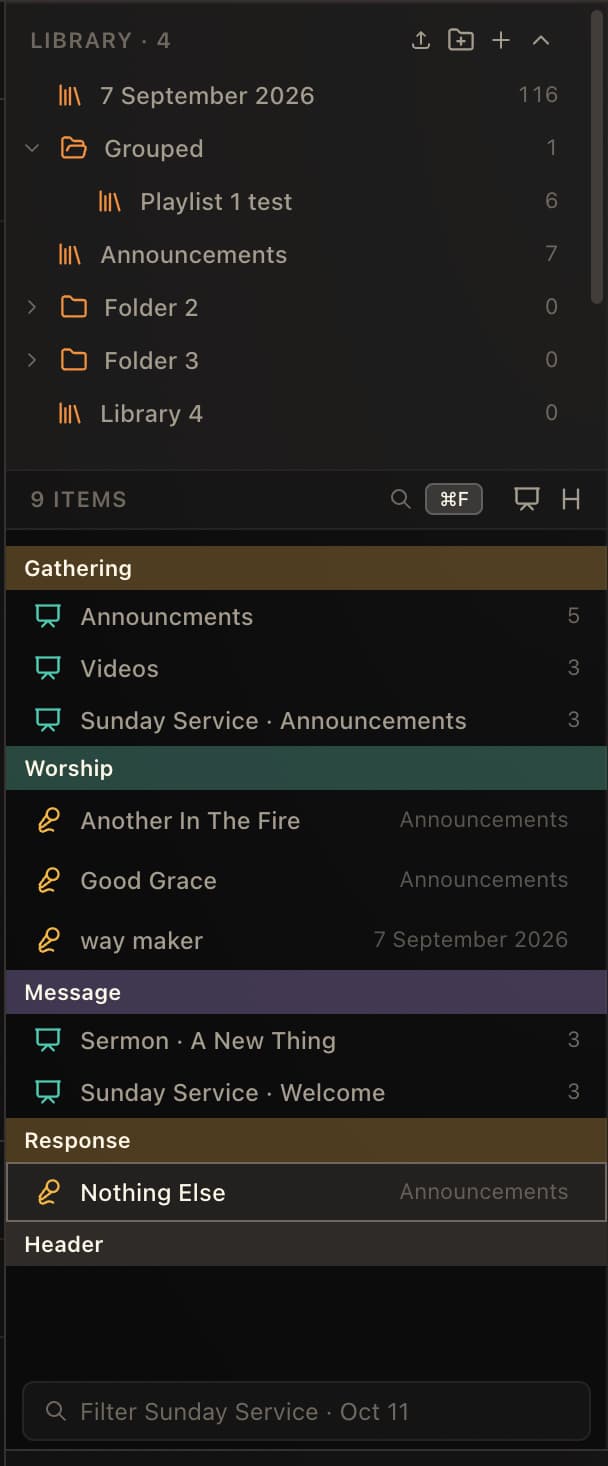
LlamaPresenter Studio's service library with playlists, songs, and announcements
  • Scripture in any language

    Side-by-side translations, including ones you add yourself.

  • Songs and lyrics

    Build playlists and present lyrics in more than one language.

  • Every screen at once

    Projector, stage display, and livestream from one console.

  • Remote from your phone

    Scan a QR code and run slides. No app to install.

Run the whole service from one console

Show Bible verses, lyrics, announcements, and media across your projector, stage display, and livestream. Switch languages, control your service from your phone, and create your own look with flexible templates.

llamapresenter.com/studio

Languages

Display every language you need

Choose which languages appear on the projector, stage display, or livestream and turn them on or off whenever you need.
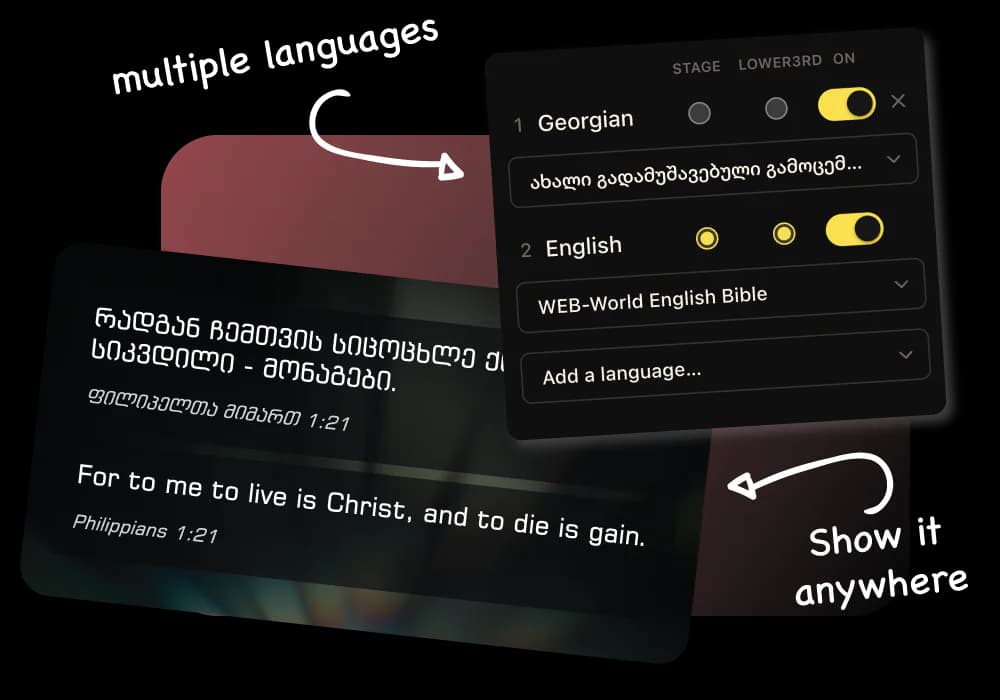
EnglishGeorgianUkrainianGreekAdd your own
A slide carrying the same verse in Georgian and English, beside the panel that arms each language and picks its translation

Stage display

Give your team a clear stage view

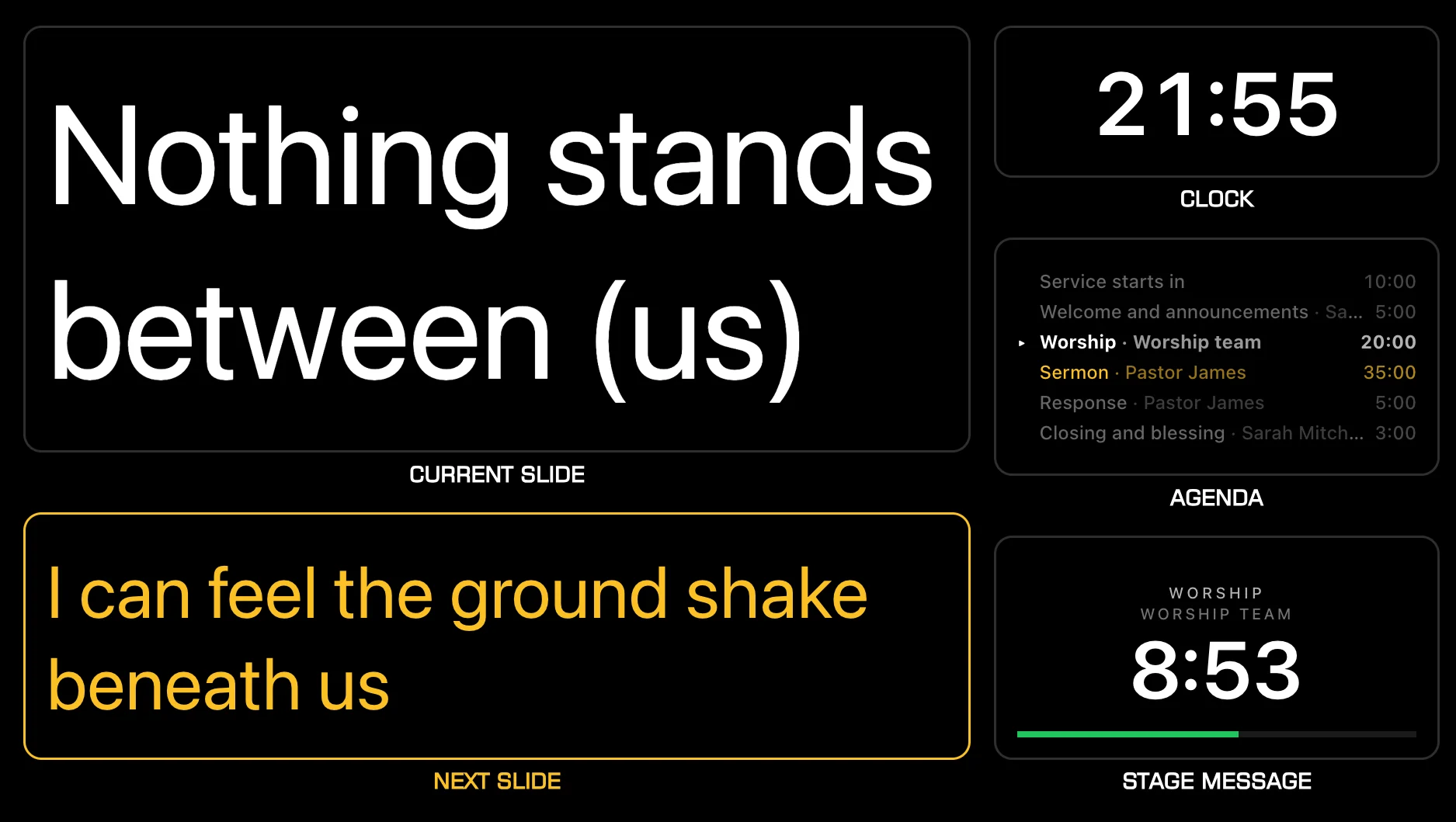
See the current slide, next slide, clock, agenda, and timer in Stage View. Show only the timer on your stage display when you need a clean view.
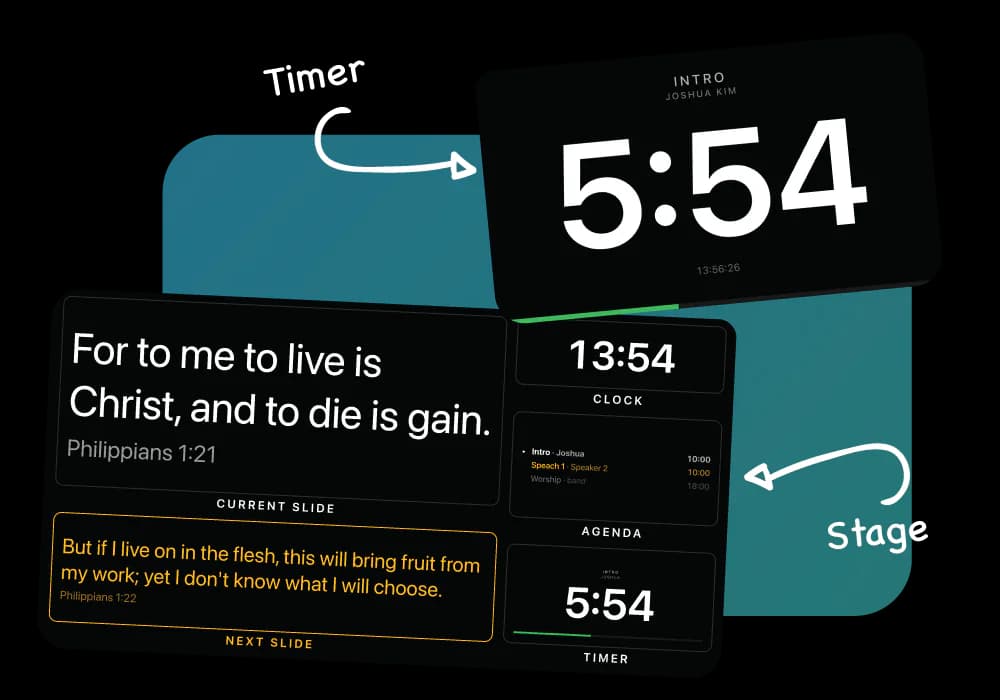
Current slideNext slideClockAgendaTimer
The stage display: the verse on screen now, the one coming next, the clock, the agenda and a countdown

Templates

Customize every screen

Start with beautiful ready-made templates or create your own. Design custom looks for Bible verses and lyrics on your projector and livestream.
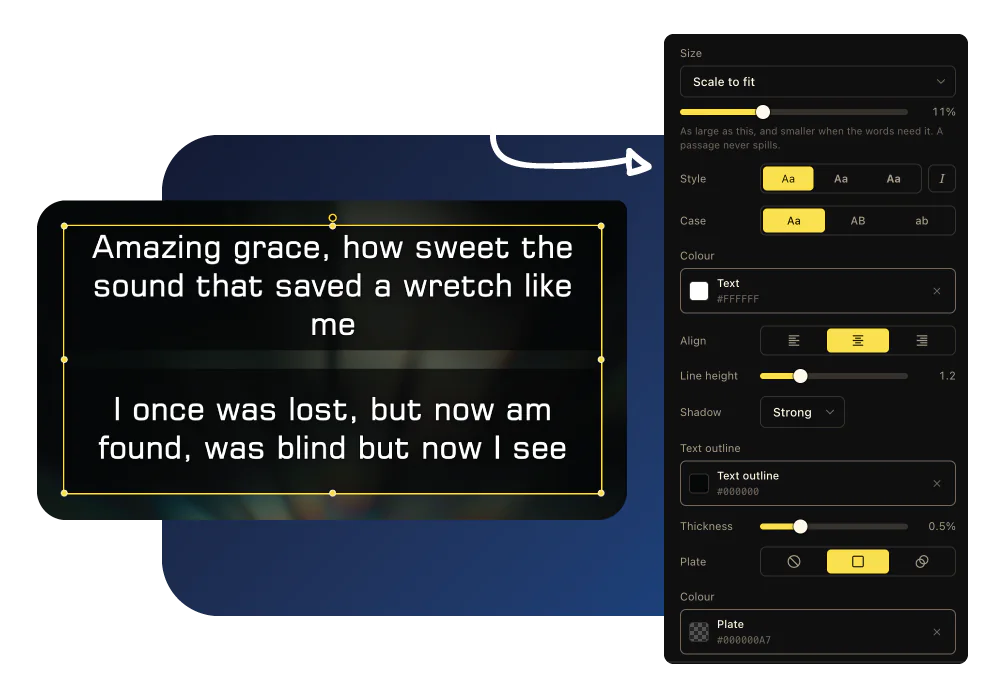
SizeCaseColorOutlinePlate
The template editor: a text box selected on the canvas, with its size, case, color, alignment, outline and plate in the panel beside it

Outputs

Control every screen from one place

Control your projector, stage display, and livestream from the same console. Each screen gets the content it needs while your team stays in sync.

On Pro, you can add a foyer TV, an overflow room, or a second campus screen. Each has its own resolution, look, and content, from Bible verses and lyrics to full presentations.
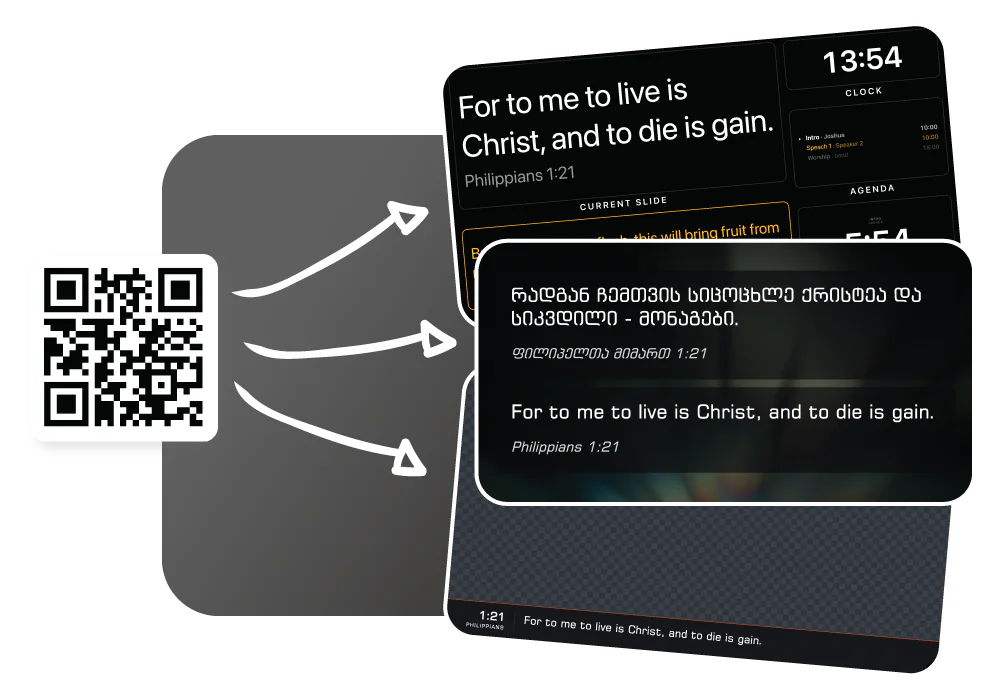
ProjectorStage displayLivestreamExtra screens on Pro
One link feeding the stage display, the projector slide and a stream overlay on a transparent background

Remote

Control your service from your phone

Move through slides and control your presentation right from your phone. Stay close to the service instead of being tied to the computer.
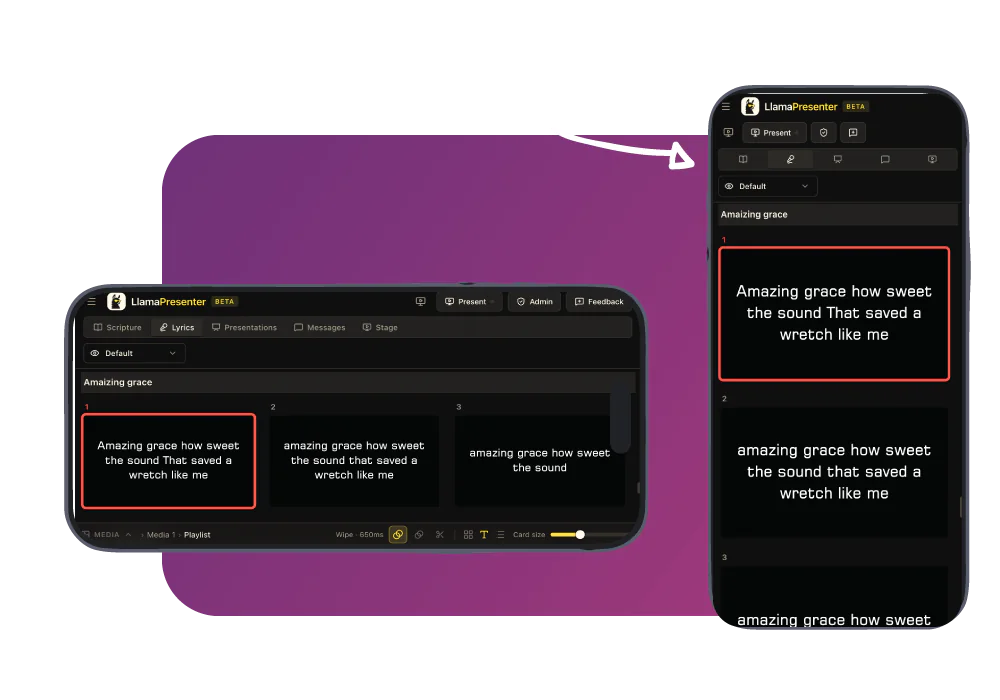
Remote controlQR codeNo app to install
The lyrics panel open on a phone held sideways and upright, the same slide selected on both

Platforms

Run it on Mac, Windows, or the web

Start in your browser with nothing to install. On Pro, the Mac and Windows desktop app adds native display controls and offline local mode for prepared content, with no separate license.
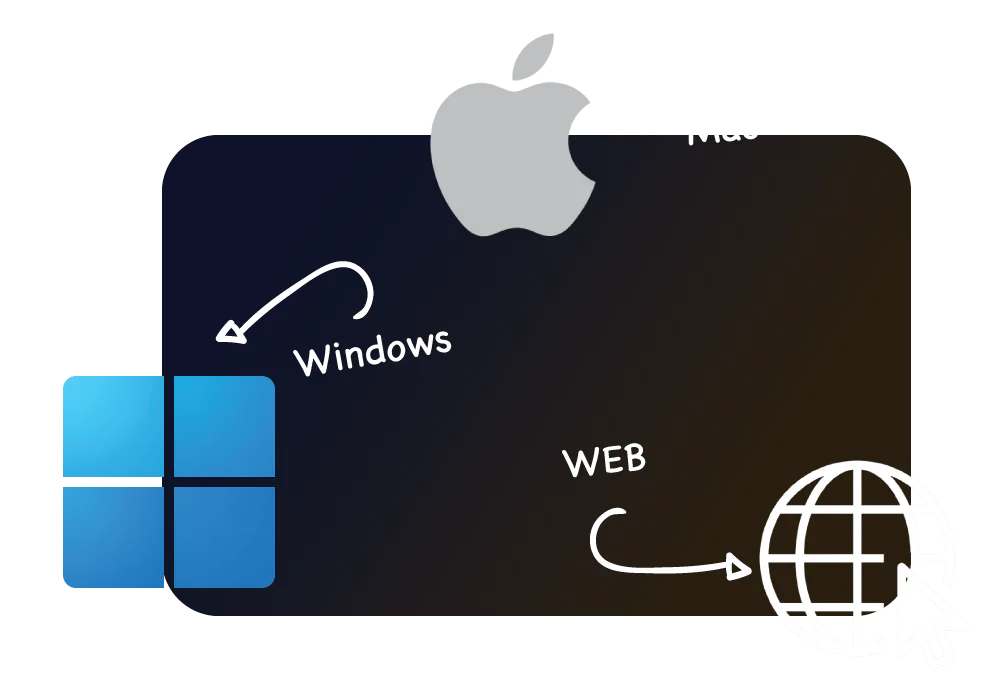
Web app on FreeMacWindowsDesktop included with Pro
The Apple and Windows logos and a globe, one for each place LlamaPresenter runs

Presentations

Import PowerPoint or PDF

Bring your existing slides into Presentations. Each page becomes a slide image you can present and build on.
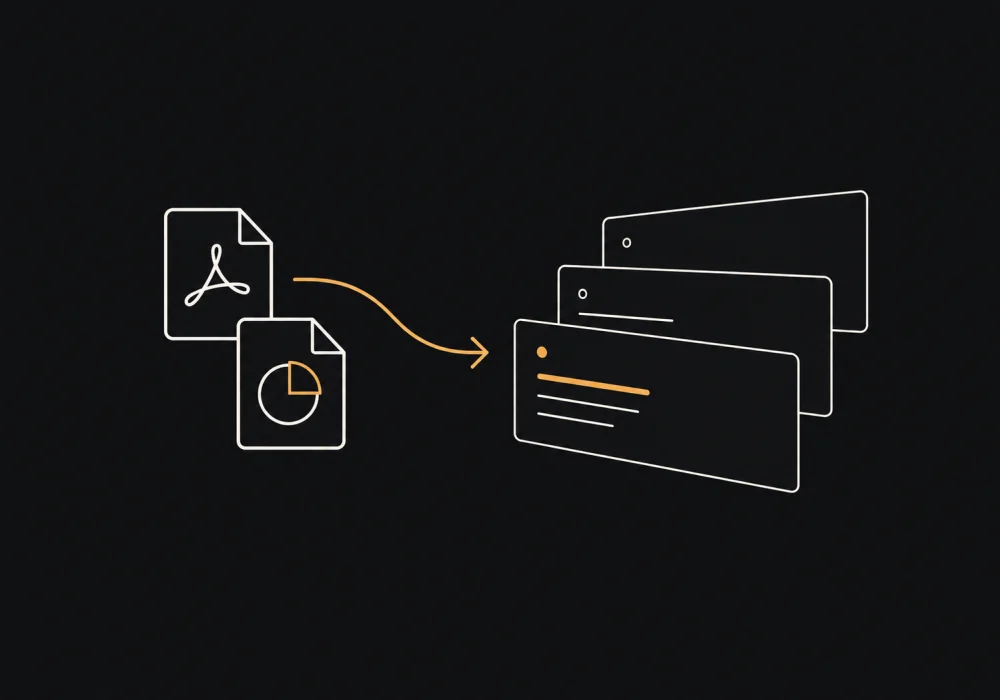
PowerPointPDF
PowerPoint and PDF files becoming a deck of widescreen presentation slides

And plenty more under the hood

Tools the bigger production suites charge for, ready when your team grows into them.

Browse every guide

Pricing

Pay only when you outgrow it.

Start free in your browser. Go Pro for the Mac and Windows app and room to grow.

One subscription covers web and desktop.

Free

$0

forever

In your browser, for every Sunday.

  • Browser app
  • Every Bible translation we hold
  • Projector, stage, and livestream outputs
  • Up to 2 languages on a slide at the same time
  • Up to 15 saved songs
  • Up to 3 songs per playlist
  • Up to 5 music tracks
Start free

No card required.

Pro

$19

per month

The desktop app, and room to grow.

Everything in Free, plus

  • Desktop app
  • Up to 3 languages on a slide at the same time
  • Unlimited saved songs
  • Unlimited songs per playlist
  • Unlimited music tracks
  • Unlimited custom templates
Get Pro · $19

Monthly subscription. Cancel any time.

Kaღმერთი სიყვარულია.ქართული
EnGod is love.English
RuБог есть любовь.Русский
Elὁ Θεὸς ἀγάπη ἐστίν.Ελληνικά
Arالله محبة.العربية
LaDeus caritas est.Latina
EsDios es amor.Español
PtDeus é amor.Português
Ko하나님은 사랑이시라.한국어
Zh神就是爱。简体中文
FrDieu est amour.Français
UkБог є любов.Українська
Ja神は愛である。日本語
DeGott ist Liebe.Deutsch
SwMungu ni upendo.Kiswahili
Hiपरमेश्वर प्रेम है।हिन्दी

Multi-screen management

Send a different layout to each screen, or mirror the main slide everywhere. The projector, stage display and livestream each show what they need from one console.

Learn more about multi-screen management
A worship band leading a congregation with raised hands, the LED wall showing You are worthy of all praise between two close-up screens
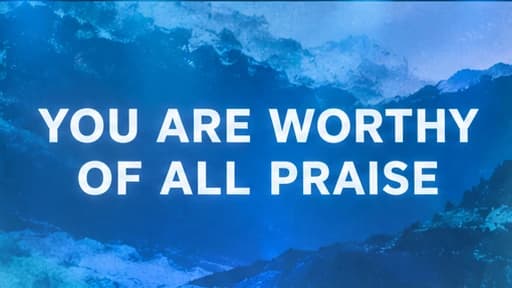
A blue mountain background displaying You are worthy of all praise in large white text
Audience
You are worthy of all praise
Stream
Stage multiview showing current and next slides, a clock, and an agenda
Stage
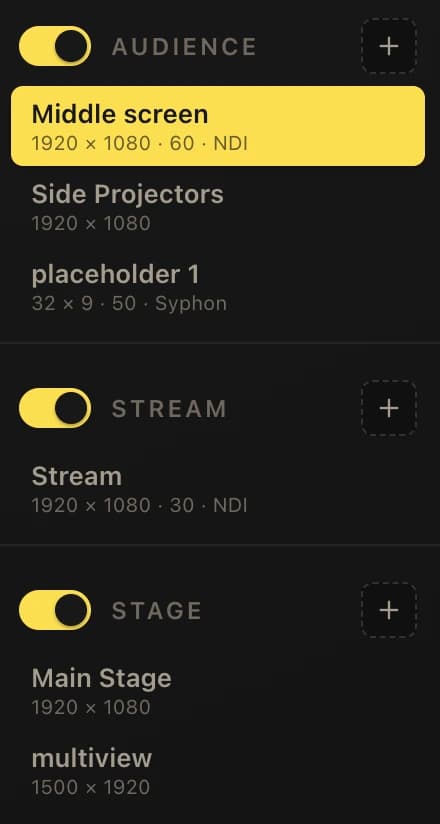
Display output list with Audience, Stream, and Stage groups; Middle screen is selected

Stage display

Give the platform its own screen: the current and next slide, the clock, the service agenda and a countdown. Send a private message to the speaker without the room seeing it.

Learn more about the stage display

A speaker with a handheld microphone on a dark stage under blue light, the congregation in the foreground
The stage display: the current and next lyric slides, a clock, the service agenda, and a countdown for the worship team

Questions, answered

Can’t find what you’re looking for? Write to us and a real person will reply.

What is LlamaPresenter?
LlamaPresenter is church presentation software for running Bible verses, song lyrics, announcements, and media across your projector, stage display, and livestream. It offers a free web app and a dedicated Mac and Windows desktop app included with Pro.
Do I need to install anything?
Not to use the browser app. Free runs in your web browser with nothing to install. Pro also includes the optional desktop app for churches that want to run LlamaPresenter as an installed application.
Does LlamaPresenter have a desktop app?
Yes. LlamaPresenter has a dedicated installed desktop app for Mac and Windows, alongside the web app. It is included with Pro. Desktop local mode can present Scripture, songs, and media prepared in advance without internet; sign-in, account access, and cloud features need internet. See the desktop page for current download availability. Desktop app and downloads
Is the desktop app a separate purchase?
No. The desktop app is included with every Pro subscription and uses the same plan. It is not available on Free, and there is no separate desktop license to buy.
Can I show Bible verses in multiple languages?
Yes. You can display multiple languages at the same time and choose which languages appear on the screen. Turn languages on or off whenever you need.
My language is not one of the ones you carry. Can I still use it?
Yes. LlamaPresenter carries Georgian, English, Russian, Greek, Arabic and Latin, and you can add a Bible in any other language yourself. Open Translations in the settings, pick your language, and choose from over a thousand Bibles in hundreds of languages. The console fetches it for you. A Bible you add works just like ours: put Spanish and English on the same slide, or Korean on the projector and English on the stream.
Can I upload a Bible file of my own?
Yes. If your church was given a file, or you found one the archives do not list, LlamaPresenter reads Zefania XML, OpenSong, USX, OSIS and Beblia files. Free covers one Bible you add yourself and Pro makes it unlimited.
Can I control the projector, stage, and livestream separately?
Yes. LlamaPresenter gives you three views: Projector, Stage, and Lower Third. Each screen can show different content while everything stays connected to the same presentation.
Can I add extra projector screens, like a foyer TV or a second campus room?
Yes, on Pro. You can open the free Main Screen link on as many devices as you like, and they will all mirror the same slide. Extra named screens can each have their own resolution, look, and content. A foyer TV can stay on announcements while the main room runs the service.
Can I use my phone as a remote?
Yes. You can control your presentation from your phone. Move between slides and change what is being shown without staying next to the main computer.
Can I create my own templates?
Yes. You can start with our built-in templates or create your own. Design custom templates for Bible verses and lyrics on your projector or livestream.
Does it work on Mac and Windows?
Yes. LlamaPresenter has a desktop app for Mac and Windows included with Pro. The web app also works on both platforms and other devices with a modern browser.
Is LlamaPresenter only for large churches?
No. LlamaPresenter works for churches of any size, from a single projector to a full setup with a stage display and livestream.
Why should I choose LlamaPresenter over ProPresenter?
Choose LlamaPresenter if you want a straightforward way to run multilingual Bible verses and lyrics, projector and stage outputs, livestream graphics, and remote control. You can start free, and Pro includes the desktop app without a separate license. ProPresenter may suit teams that need complex layered media, show control, or specialized broadcast workflows. LlamaPresenter still covers 90% of the ProPresenter features most churches use. See the full comparison
Can I use LlamaPresenter for livestreams?
Yes. The stream output is an ordinary web page with a transparent background, so it works with OBS, vMix, Wirecast, Streamlabs, Ecamm Live or any other tool that can take a browser source. Add a browser source, paste your LlamaPresenter stream link, and your Bible verses, lyrics and name cards appear over the camera in your livestream.
Can I use it for song lyrics?
Yes. You can add your songs and display lyrics on your projector, stage display, or livestream. You can also import song lyrics from a file exported from ProPresenter, so you do not have to add all your songs again.
How does the projector know which session it belongs to?
Each session has its own unguessable link. Whoever opens it sees that session and nothing else. The projector needs no account or password. Treat the address like a meeting link.
Can two people run it at once?
Yes. In the web app, the console is a browser tab, so a second operator can open the same session on their own laptop and both see the same live slide.

Free for every church, forever.

Open the console, connect your projector, and put scripture on the wall in minutes.

No credit card or signup required