Add lyrics and verses to your livestream
Add a transparent browser source to OBS or vMix. Show Bible verses, lyrics, and speaker names over your camera video, with a layout made for the stream.
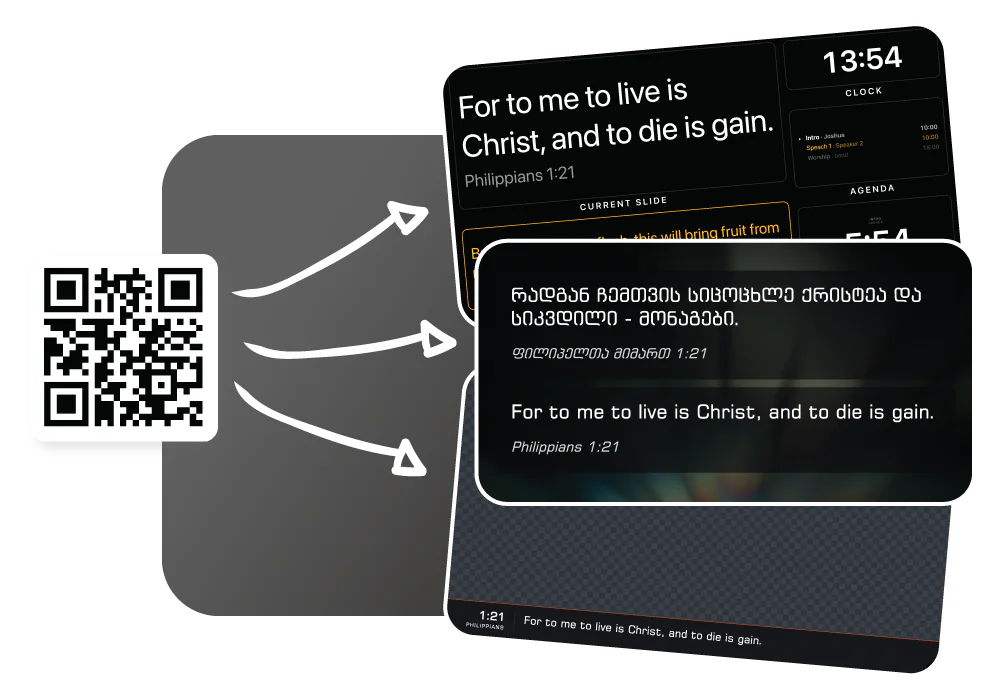
How LlamaPresenter helps
Connect to OBS or vMix
Add the stream link as a browser source. This output does not need a capture card.
Choose a layout for the stream
Position text over camera video without changing the projector layout.
Choose the stream language
Show the language your online audience reads, even when the room uses another.
Show the speaker’s name
Add a name and role over the video, then let the card clear automatically.
Keep the camera visible
The transparent output shows text over the video instead of covering the camera feed.
See it in action
Real screens from LlamaPresenter. Select an image to view it full size.
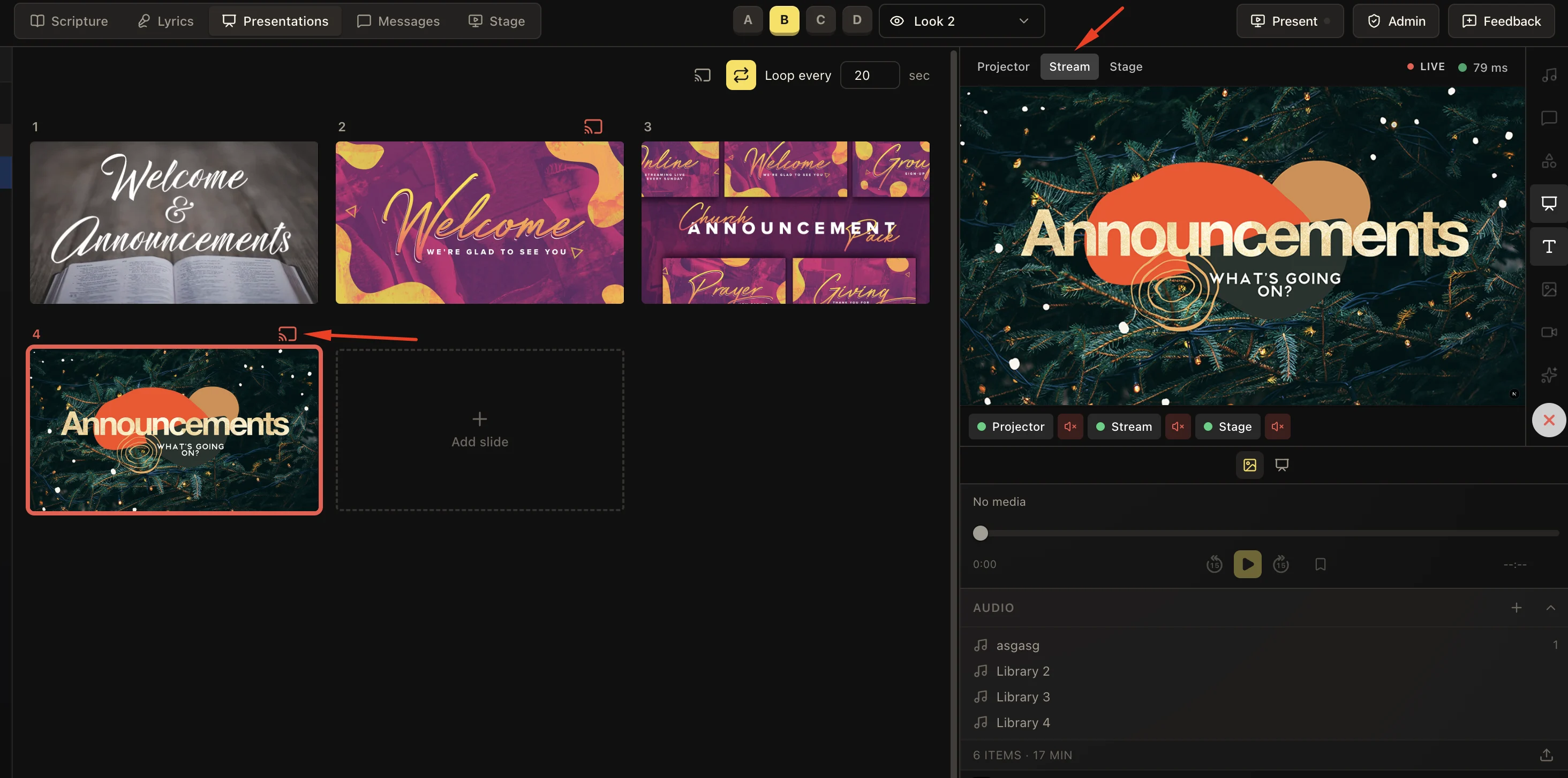
Prepare slides for your livestream
Control how presentation content reaches your stream.
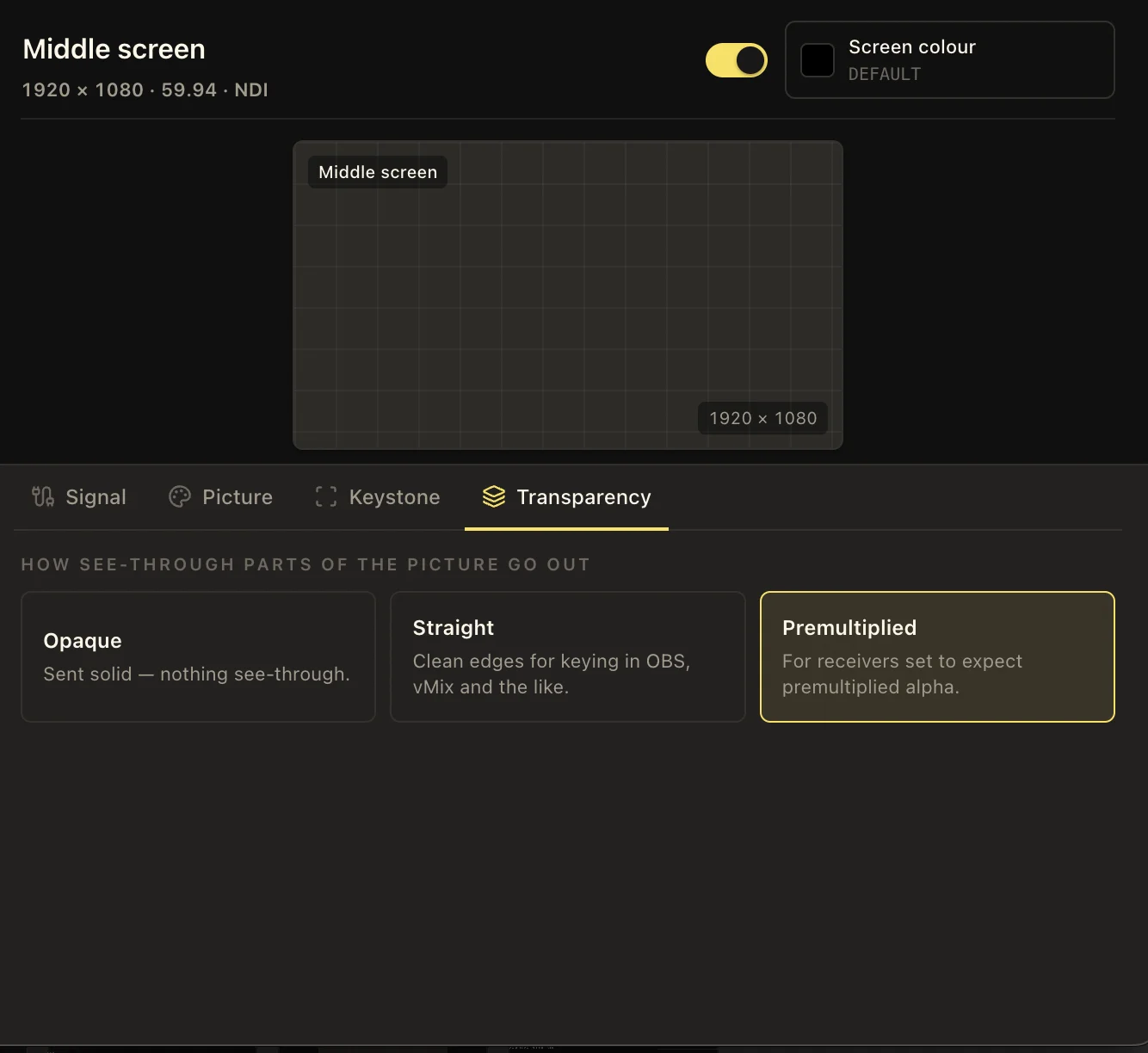
Leave room for the camera
Configure a transparent output for your broadcast graphics.
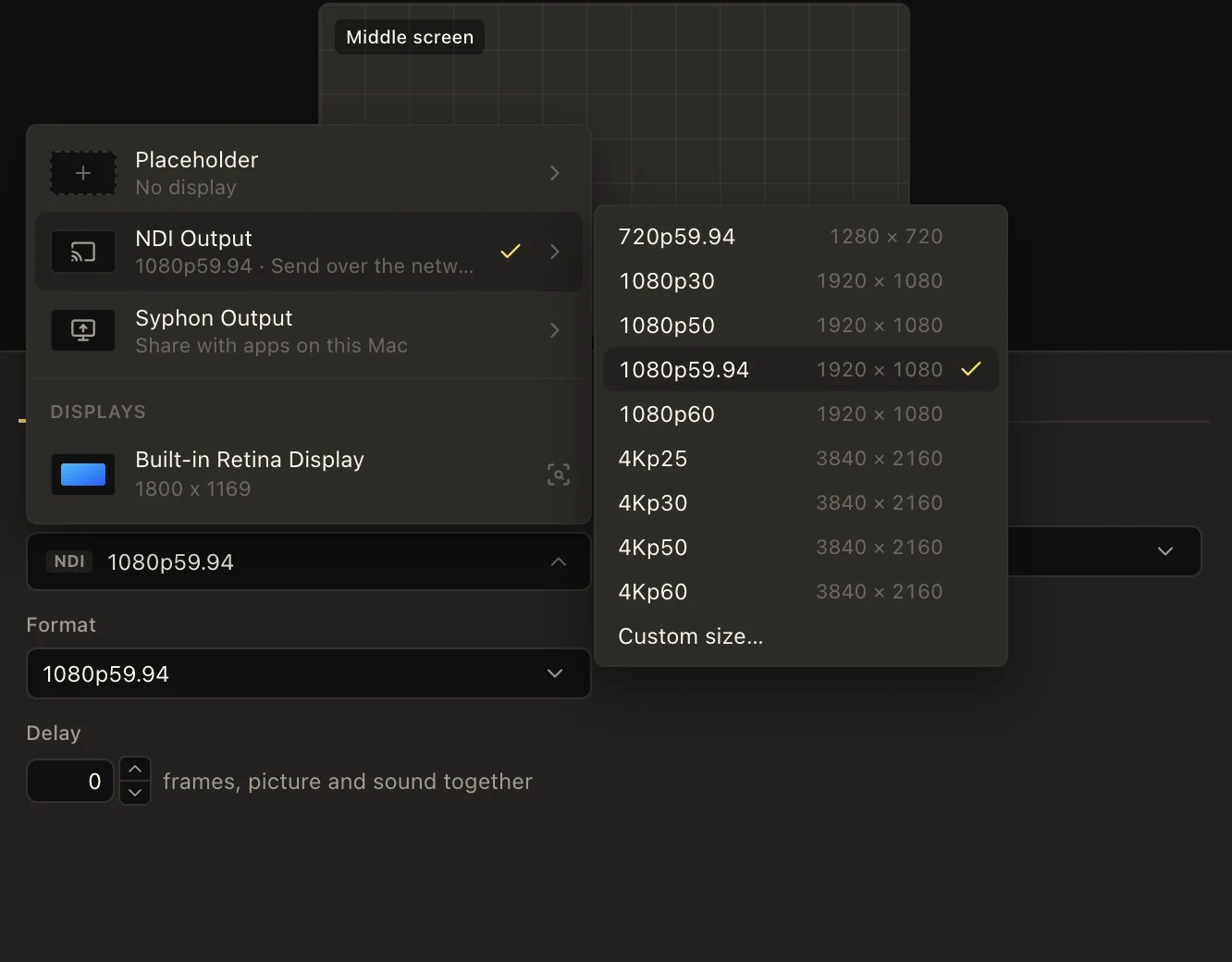
Manage your output screens
Keep the room and livestream destinations organized.
How to use it
- Open the livestream output link from the console.
- Add it to OBS as a browser source and size it to your canvas.
- Choose the language and template for the livestream.
- Run your service. The content you send appears over the livestream with a transparent background.
Questions
Does it work with OBS?
Yes. It is a standard browser source with a transparent background, so it works with OBS, vMix, and Ecamm.
Do I need a capture card or NDI?
No. The stream output is a web page rather than a video signal, so it travels as a link rather than as a feed.
Can the stream show something different from the projector?
Yes. The template and the languages are set per output, so the stream and the wall need not agree on either.
Can this run our church's TV live stream, not just an online one?
Yes. It is the same transparent browser-source overlay either way, so it works for an in-house TV feed, an online stream, or both. It plugs into the software that already sends your signal to air.
Does this page cover the whole video broadcast?
This page covers the graphics layer. LlamaPresenter supplies presentation content and a transparent stream output; OBS or vMix combines the camera, sound, and graphics and publishes the broadcast.
Explore related features
Lower thirds
Show speaker names and roles over your livestream, then clear them automatically.
Multilingual services
Show multiple languages side by side and choose what each screen displays.
Stage display
Show the current slide, next slide, clock, and timer on a screen your team can see.
Church media
Run Bible verses, lyrics, announcements, and media from one console.
Plan a church livestream
See how video, sound, presentation content, and broadcast software work together.
Find more examples on the use cases page, and the comparison puts LlamaPresenter beside ProPresenter, EasyWorship, FreeShow and Proclaim.
Try it this Sunday
Start with the free browser app. Pro adds the desktop app and higher limits.
No credit card required