A free plan with no deadline
Run the core Sunday presentation without a trial countdown. Upgrade when the higher limits or desktop app make sense for your church.
Church presentation software for small churches
Run scripture, worship lyrics, announcements, and every church screen without buying a license for each computer. Start with the equipment and volunteers you already have, then add the desktop app when you move to Pro.
A small church still needs a clear Sunday presentation, but the person running it may also be playing music, welcoming people, or helping with sound. The software needs to be easy to learn and forgiving when a different volunteer takes over.
LlamaPresenter keeps the service in one running order. Search for Bible verses, add song lyrics, prepare announcements, and send content to the projector from the same console. A phone can act as the remote when the operator needs to step away from the computer.
The Free plan gives a small church a practical place to begin. Pro raises the content and customization limits and includes the Mac and Windows desktop app. There is no separate desktop license to purchase.
Run the core Sunday presentation without a trial countdown. Upgrade when the higher limits or desktop app make sense for your church.
Keep the service in order, click the content you want to show, and use straightforward controls to move forward or clear the screen.
The Free plan works in a modern browser. Pro also includes the desktop app for Mac and Windows, with no separate license.
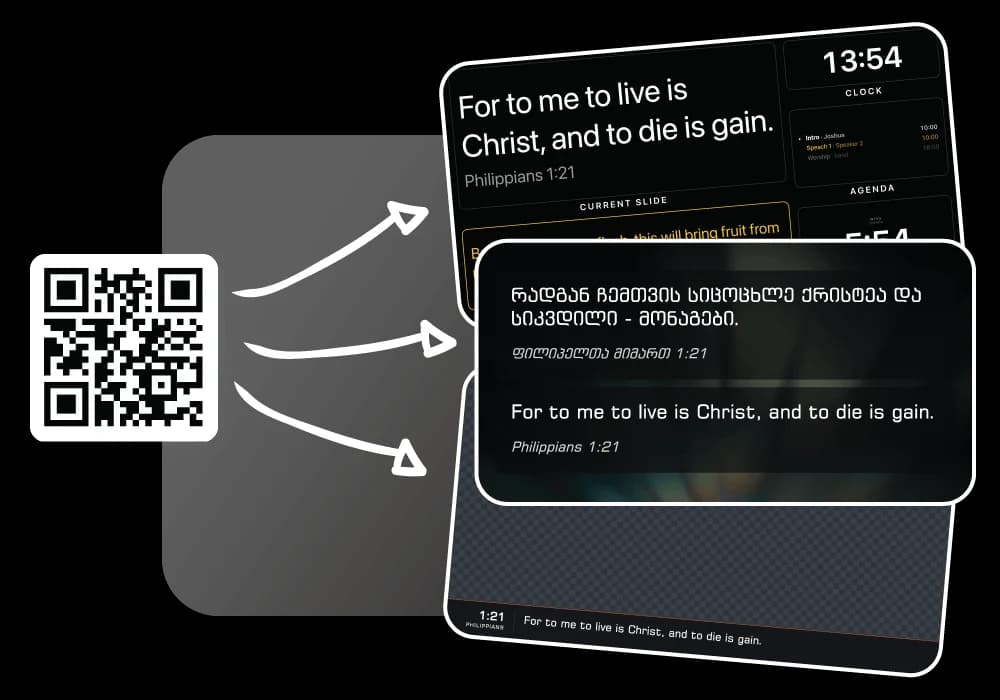
Give each screen its own output. Start with one projector and add a stage display or livestream graphics when your setup grows.
Build the service from scripture, saved songs, announcements, and media.
Connect the projector and any stage or livestream output you plan to use.
The running order keeps the service clear, even for someone who does not use the software every week.
Move through slides without asking the operator to stay beside the main computer.
The best choice is one your volunteers can learn, your current equipment can run, and your budget can support. LlamaPresenter offers a free starting point for scripture, lyrics, and church screens.
Not necessarily. Free works in a modern browser, and Pro includes a Mac and Windows desktop app for churches that prefer an installed application.
Yes. One person can run the service from the console or use a phone as a remote. Another volunteer can also open the same session when needed.
No. The desktop app is included with Pro. It is not available on Free, and there is no separate desktop license.
Start with the browser-based Free plan. Upgrade to Pro for higher limits and the included Mac and Windows desktop app.