EasyWorship alternative
An EasyWorship alternative that runs in your browser
EasyWorship is software you install and subscribe to. LlamaPresenter runs in your browser and starts free.
Looking for an EasyWorship alternative?
EasyWorship is mature and covers a Sunday well. LlamaPresenter keeps the service in the browser instead:
- Nothing to install
- Projector, stage, livestream, and remote from one session
- A free plan, not a trial
Two approaches to the same service
Both cover the core service; setup and pricing differ.

EasyWorship
Installed software. Version 8 runs on Windows and Mac.

LlamaPresenter
Runs in a browser, with a desktop app included on Pro.
What you can do with LlamaPresenter
Run the service in your browser and choose languages for each screen.
Show the languages your church uses
Choose which Bible and song lyric languages appear on each screen.
Run the service in your browser
Open the console on a laptop, tablet, or phone.
Choose what each screen shows
Set up separate views for the projector, stage display, and livestream.
Start with the free plan
Free runs in the browser. Pro raises limits and includes the desktop app.
LlamaPresenter vs EasyWorship
Compare browser control, screen layouts, service cues, and multilingual content.
| Feature | LlamaPresenter | EasyWorship |
|---|---|---|
| Screens and service control | ||
| Full console in a browser | LlamaPresenter: yes, Full console in a browser | EasyWorship: no |
| Browser remote control | LlamaPresenter: yes, Browser remote control | App |
| Custom Stage layouts | LlamaPresenter: yes, Custom Stage layouts | Foldback settings |
| Per-output layer presets | LlamaPresenter: yes, Per-output layer presets | Alternate Output |
| Service timing | Agenda + timers | Clock + alerts |
| One-click Actions | LlamaPresenter: yes, One-click Actions | EasyWorship: we could not confirm this |
| Presenting in two languages | ||
| Bible verses in two languages | Choose two translations | Add both texts to slides |
| Different language on each screen | Choose languages per output | Prepare each output manually |
| Song lyrics in two languages | Keep both lyric versions in one song | Add both texts to slides |
| Bible and songs | ||
| Bible built in | LlamaPresenter: yes, Bible built in | EasyWorship: yes, Bible built in |
| CCLI SongSelect built in | LlamaPresenter: no | EasyWorship: yes, CCLI SongSelect built in |
| Pricing | ||
| Price to start | Free | From $17.50/mo |
| Free plan | LlamaPresenter: yes, Free plan | EasyWorship: no |
| Paid plan | $19 per month | Subscription |
What both do
EasyWorship covers all of this, and so do we. It is listed here rather than in the table because a row that is a yes on both sides is not a reason to choose either one.
- Bible search and verse slides
- Song lyrics, with CCLI SongSelect on their side
- Projector output
- A stage or confidence display
- Livestream graphics
- Custom templates and slide design
- A countdown timer
- Remote control from a phone
- Your own backgrounds and music
- PowerPoint and media playback
EasyWorship prices were taken from their site when this page was written. Check theirs before you decide.
See it in the console
Show one passage in every selected language
Type a reference and it appears on the live projector in every language you selected. You do not have to repeat the search for each translation.
Searching 2 Corinthians 7 with English and Ukrainian selected, then showing the verse on the projector
More ways to run your service
Choose how you run the service, what each screen shows, and which languages people see.
Start in your browser
Run the service on a computer or phone. The desktop app is included with Pro.
Set up each screen separately
Choose what appears on the projector, stage display, and livestream from one console.
Show two languages on one slide
Search once to show Bible translations together. Keep both languages in one song, too.
Choose languages for each screen
Show two languages to the congregation while the stage and livestream show one each.
Add the Bible translation you need
Choose from public Bible archives or import a supported translation file.
Use the free plan as long as you need
Present Bible verses, songs, and stage content in the browser. Pro raises limits and adds the desktop app.
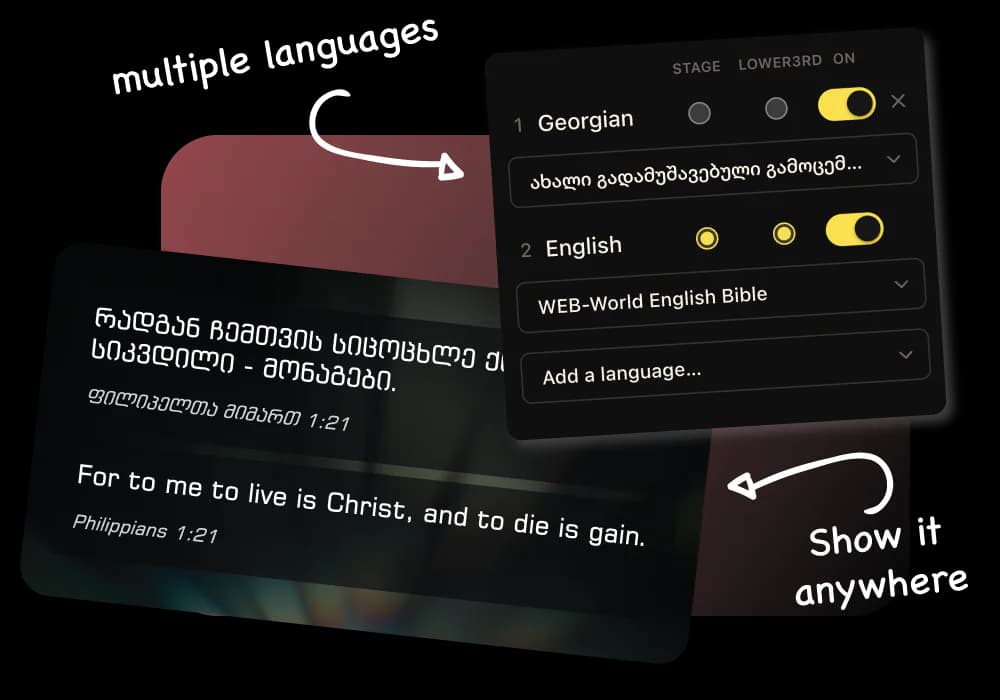
Multiple Bible languages, side by side
EasyWorship has many translations to choose from; LlamaPresenter puts two or more on the same slide.
- Each screen shows the languages it needs
- Turn a language on mid-service in one click
- Add your own translation from an archive or file
- Songs stack their languages the same way
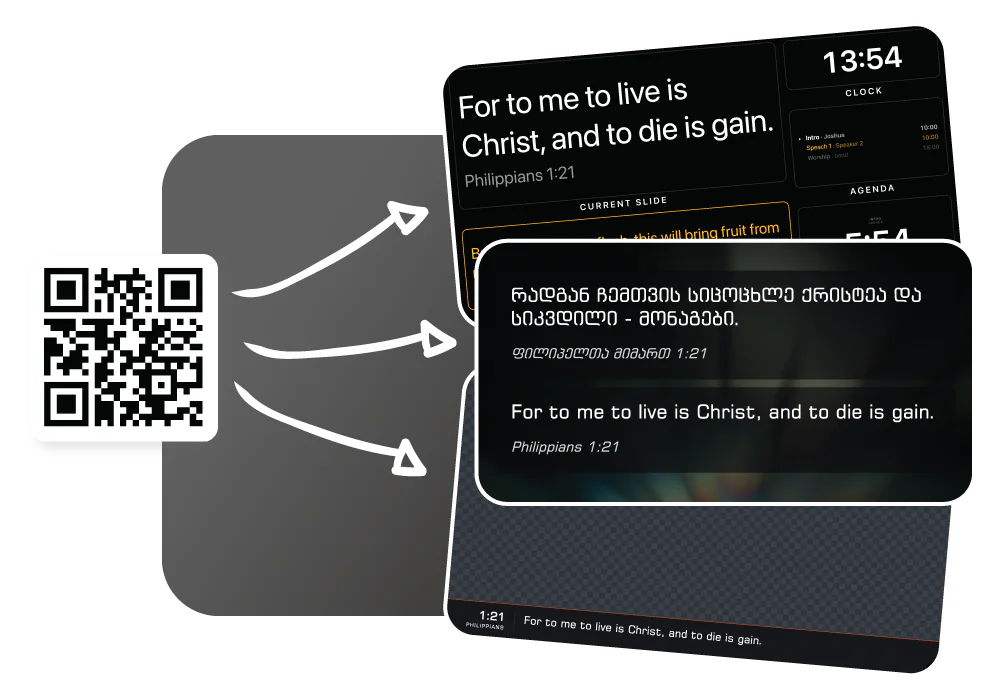
Projector, stage, and livestream in one workflow
Three outputs, each a link you open on the screen that needs it.
- Projector
- Show Bible verses, lyrics, announcements, and media to the congregation.
- Stage
- Give your team the current slide, next slide, agenda, clock, and timer.
- Livestream
- Send verses, lyrics, and other graphics to your stream.
A free plan with no deadline
EasyWorship is a subscription with a 30-day trial. Our free plan is not a trial.
- Bible, outputs, and stage display are never gated
- Pro adds more songs, languages, and templates
- EasyWorship Premium includes a stock media library
- Here you bring your own backgrounds, kept locally
See pricing for current limits.
When EasyWorship may be the better choice
EasyWorship may suit you better if you:
- Rely on CCLI SongSelect inside the app
- Want a stock media library included
- Send NDI to a video switcher
- Have unreliable internet (or use the LlamaPresenter desktop app on Pro)
Also compare: ProPresenter, FreeShow, StageTimer, and Proclaim.
Who should use LlamaPresenter?
Churches that want screens, languages, and timing in one system.
Churches using multiple languages
Translations side by side, without a second set of slides.
Churches watching the budget
Run a full service free; pay only for higher limits.
Churches with volunteers on rotation
Sign in on whatever computer is in the booth. Nothing to install.
Churches that want a flexible setup
Use a browser, or the desktop app included with Pro.
See it in the console
Add a Bible translation
Add the Bible versions you need and display them together on the same slide. Switch languages without stopping your service.
Adding a translation from the archive inside the console, and picking it in the language picker
EasyWorship alternative FAQ
Is LlamaPresenter an EasyWorship alternative?
Yes. It covers Bible verses, lyrics, multiple languages, projector, stage, livestream, and remote control, in a browser or the desktop app on Pro.
Is LlamaPresenter cheaper than EasyWorship?
EasyWorship starts at $17.50/month billed yearly (at the time of writing), with a 30-day trial. LlamaPresenter has a free plan with no time limit.
Does LlamaPresenter work on Mac and Windows?
Yes, it runs in any modern browser. EasyWorship 8 also runs on both, as installed software.
Can I show multiple Bible translations at the same time?
Yes. Two or more languages share one slide, and each output picks which ones it shows.
Can I use my own Bible translation?
Yes. Pick one from a public Bible archive or upload your own file.
Can I import my ProPresenter songs?
Yes. LlamaPresenter reads song lyrics from a ProPresenter export.
Can I use LlamaPresenter with OBS?
Yes, add the livestream output as an OBS browser source. EasyWorship sends NDI or an alpha channel instead.
Does it need an internet connection?
The browser app does; screens keep their current slide if it drops. The desktop app on Pro runs fully offline.
Ready to try a simpler church presenter?
Verses, lyrics, screens, livestream, and stage timer from one console.
No credit card required
EasyWorship is a trademark of Softouch Development, Inc., and ProPresenter is a trademark of Renewed Vision, LLC. LlamaPresenter is not affiliated with, endorsed by or sponsored by either of them. Their names are used here only to say which products we are comparing ourselves with.