Give the band a clear stage view
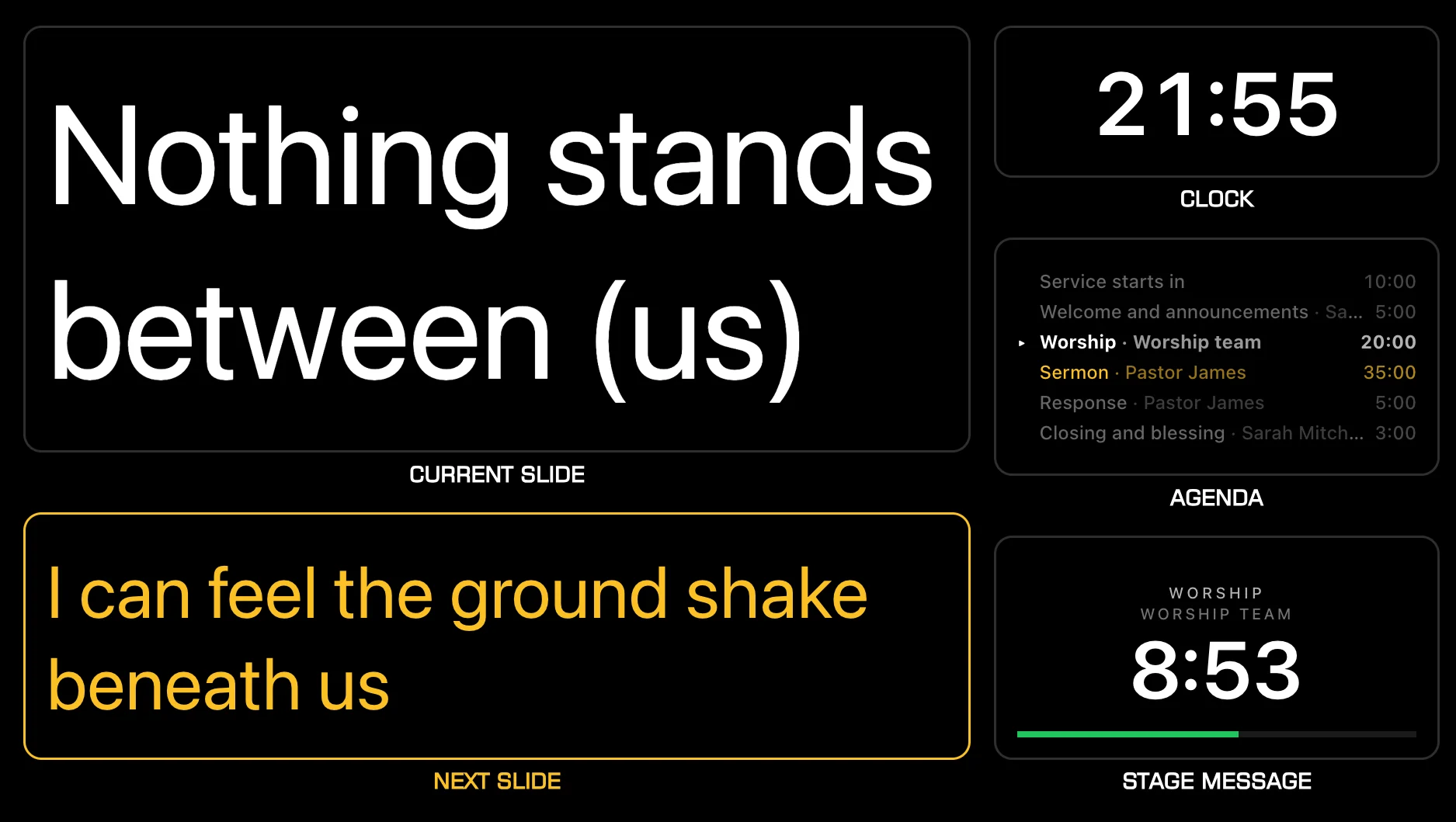
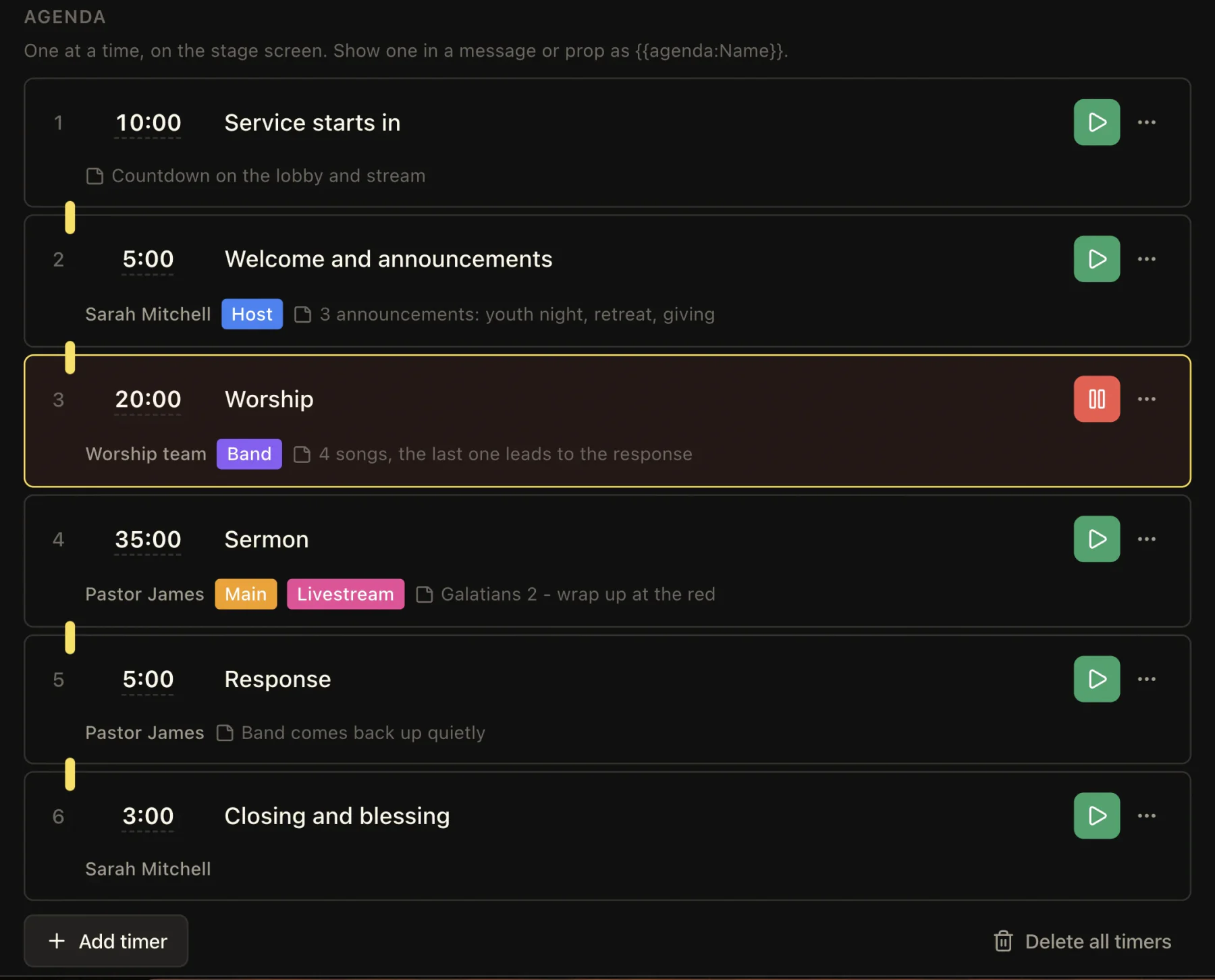
Show the worship team the current and next lyrics, the time, and the service order on a screen they can read from the stage.

Common challenges
- The platform reads the wall backwards, or from a monitor showing the same thing.
- Nobody on stage knows what the next song is or how long is left.
- A repeat means the operator hunting for a duplicate slide.
How LlamaPresenter helps
See the current and next lyrics
Keep the line on screen beside what comes next in the song.
Keep the clock and timer in view
Show the current time and a countdown on the stage display.
Repeat a verse or chorus
Move between song sections without making duplicate slides.
Choose the stage language
Show the language the team sings in while the congregation sees two languages.
Set up the stage screen
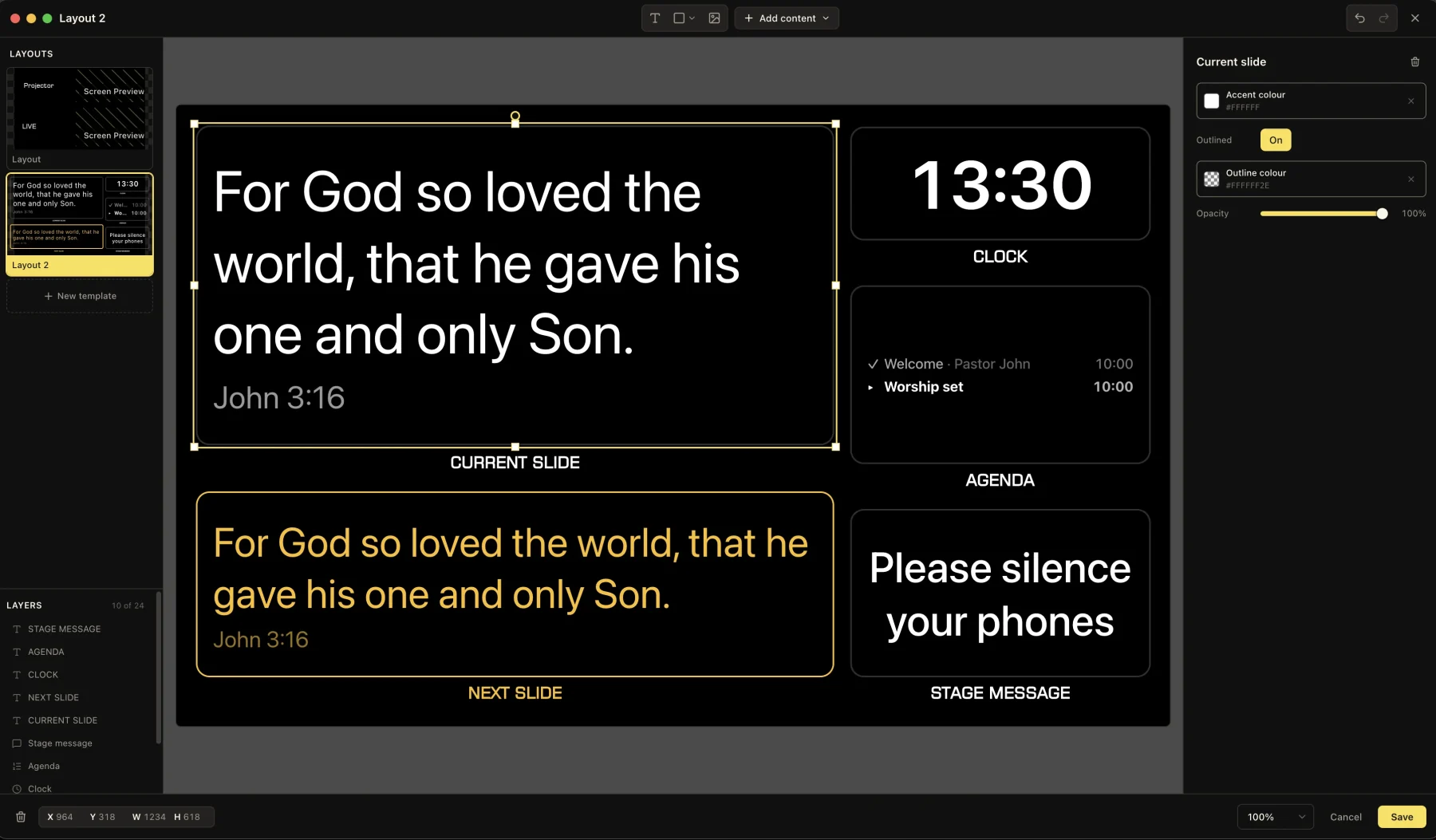
Show current and next lyrics, choose a readable layout, and add a clock or countdown.
How to use it
- Open the stage display on a screen the band can see.
- Put the songs in service order.
- Move through each verse and chorus from the console or a phone.
- Start a countdown when the team needs to see how much time is left.
Explore related features
See how these tools work during a service.
Questions
What hardware does the stage screen need?
Anything with a browser: a TV stick, an old laptop, a tablet. It only has to reach the link.
Can the band see notes the congregation does not?
The stage view carries the running order and the timing alongside the words, and the projector carries the words alone.
Can somebody on the platform take over?
Yes. The console opens on a phone, and two people can drive the same session.
Other church setups
Volunteer teams
Let volunteers sign in, share the service, and control slides from a phone.
Youth and midweek
Show Bible verses and songs on the room TV. Control them from your phone.
Find more examples on the solutions page, and the pricing page shows what is included in Free and Pro.
Try it this Sunday
Start with the free browser app. Pro adds the desktop app and higher limits.
No credit card required