ProPresenter alternative
A ProPresenter alternative built for church services
ProPresenter is a capable desktop presenter. LlamaPresenter is simpler, starts free in the browser, and includes the desktop app on Pro.
Start free in your browser
Run services in the browser on Free. Pro includes the desktop app.
Set up your screens
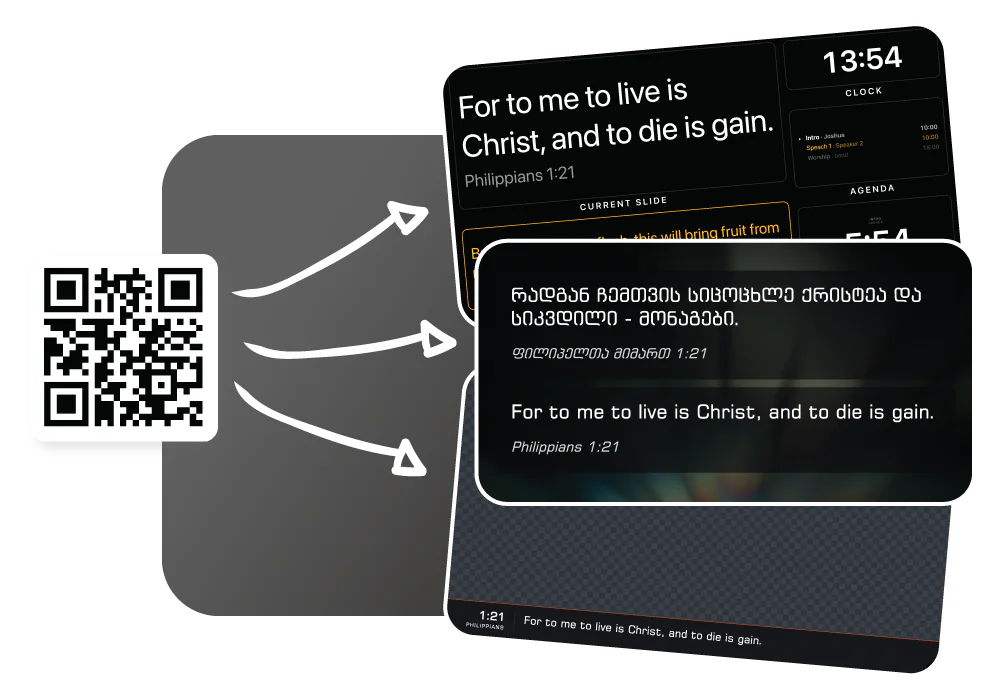
Show different content on the projector, stage display, and livestream, and control slides from your phone.
Design your own slides
Choose fonts, backgrounds, and layouts for Bible verses and song lyrics.
See the difference
ProPresenter puts a full production desk on one screen. LlamaPresenter keeps the controls a church service needs.
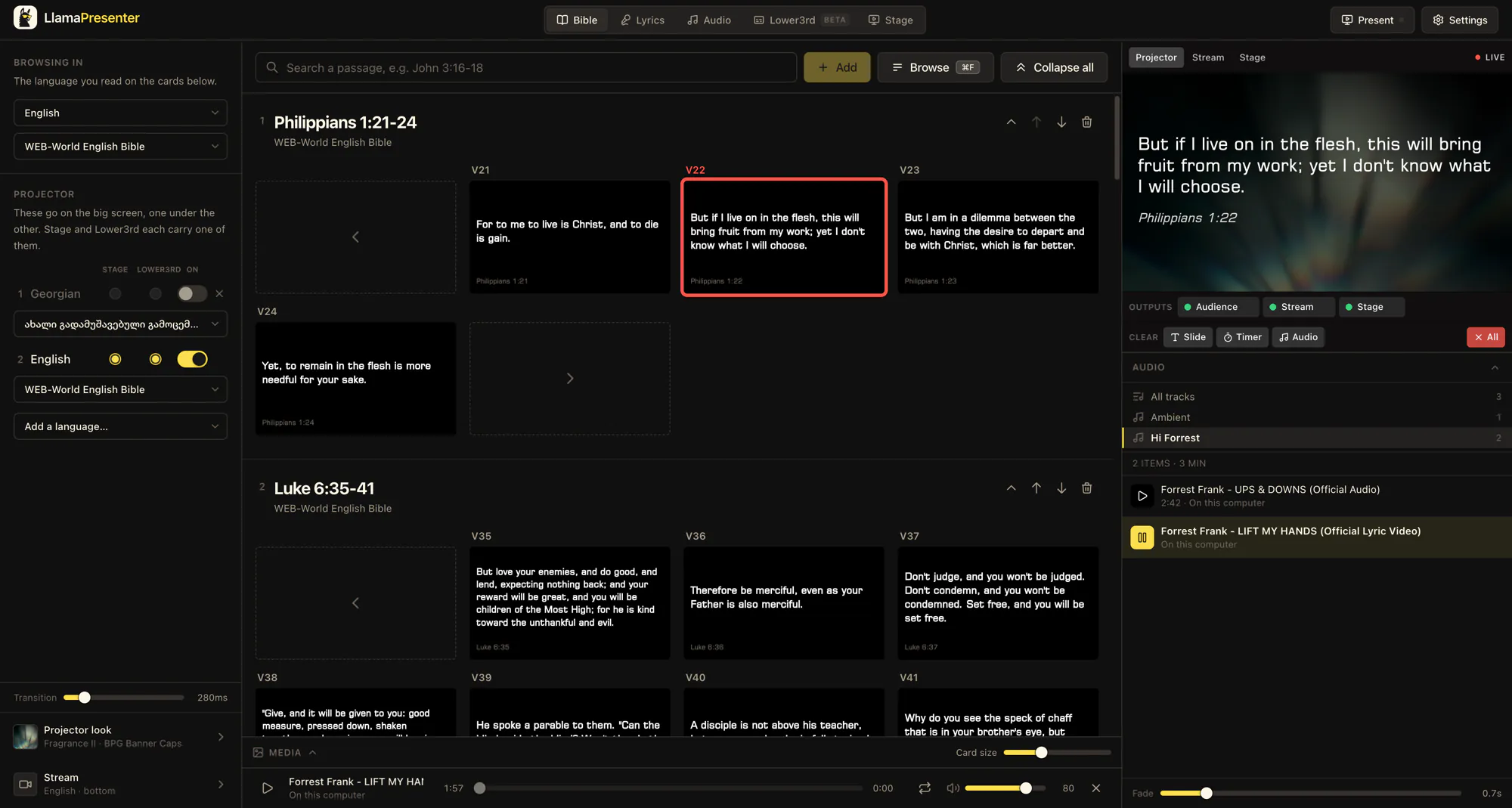
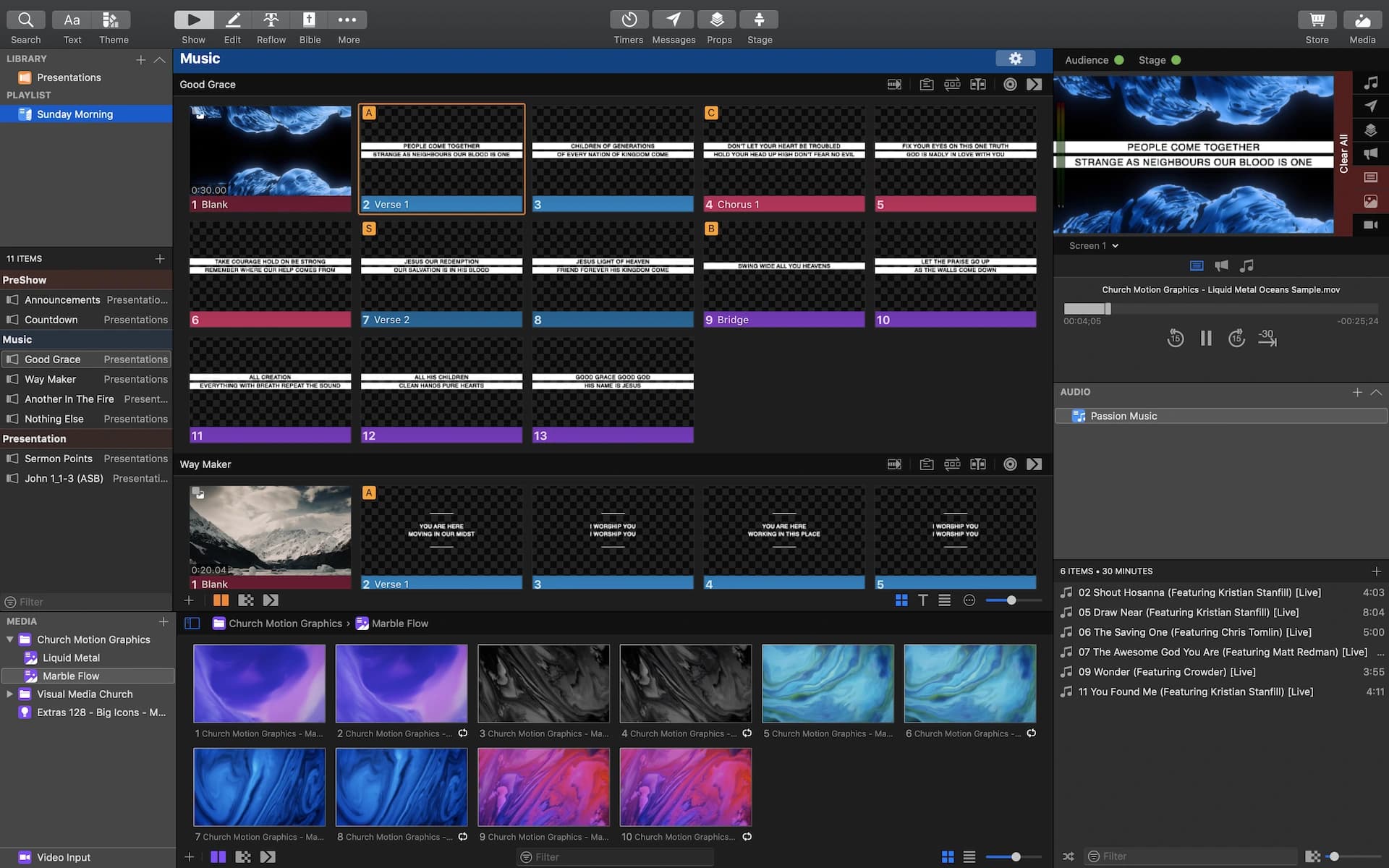
Drag the divider to compare the two consoles.
What you can do with LlamaPresenter
Present in several languages, use the browser app, and start free.
Show the languages your church uses
Choose which Bible and song lyric languages appear on each screen.
Run the service in your browser
Open the console on a laptop, tablet, or phone.
Choose what each screen shows
Set up separate views for the projector, stage display, and livestream.
Start with the free plan
Free runs in the browser. Pro raises limits and includes the desktop app.
Why choose LlamaPresenter?
Browser access, simpler multilingual setup, and a lower starting cost.
| Feature | LlamaPresenter | ProPresenter |
|---|---|---|
| Access and setup | ||
| Run a prepared service offline | Pro desktop app | Installed app |
| Full console in a browser | LlamaPresenter: yes, Full console in a browser | ProPresenter: no |
| Remote without an app | LlamaPresenter: yes, Remote without an app | ProPresenter: no |
| Full editing on a phone | LlamaPresenter: yes, Full editing on a phone | ProPresenter: no |
| Full console on Chromebook / Linux | LlamaPresenter: yes, Full console on Chromebook / Linux | ProPresenter: no |
| Screen setup | ||
| Connect a display | Configure outputs | Configure outputs |
| OBS overlay setup | Browser + desktop NDI / Syphon (Mac) | NDI / Syphon (Mac) / capture |
| Presenting in two languages | ||
| Bible verses in two languages | Choose two translations | Set up a Bible slide layout |
| Different language on each screen | Choose languages per output | Assign a theme to each screen |
| Song lyrics in two languages | Keep both lyric versions in one song | Add both texts to slides |
| If a Bible translation is missing | Import a supported Bible file | Install an available Bible or request it |
| Cost | ||
| Free plan | LlamaPresenter: yes, Free plan | ProPresenter: no |
| Price to start | Free | $29/mo per seat |
| Monthly paid plan | $19 per month | $29/mo per seat |
| Each extra presenting computer | $9/mo or $90/yr | $29/mo or $289/yr (Standard seat) |
A seat activates one computer for live presentation. ProPresenter also offers a Campus plan for up to 20 presenting computers at one physical location. ProPresenter pricing checked October 2026.
What both do
ProPresenter covers all of this, and so do we. It is listed here rather than in the table because a row that is a yes on both sides is not a reason to choose either one.
- Bible search and verse slides
- Song lyrics and a song library
- Projector output
- A stage display
- Livestream graphics
- Custom templates and slide design
- A countdown timer
- Remote control from a phone
- Your own backgrounds and music
- Lower thirds over the stream
See it in the console
Show one passage in every selected language
Type a reference and it appears on the live projector in every language you selected. You do not have to repeat the search for each translation.
Searching 2 Corinthians 7 with English and Ukrainian selected, then showing the verse on the projector
Show content on every screen
Set up the projector and stage display, then send stream graphics to OBS or vMix.
- Projector and stage display each open a link
- OBS or vMix take the stream as a browser source
- Choose the outputs your service needs
- No sign-in on output screens
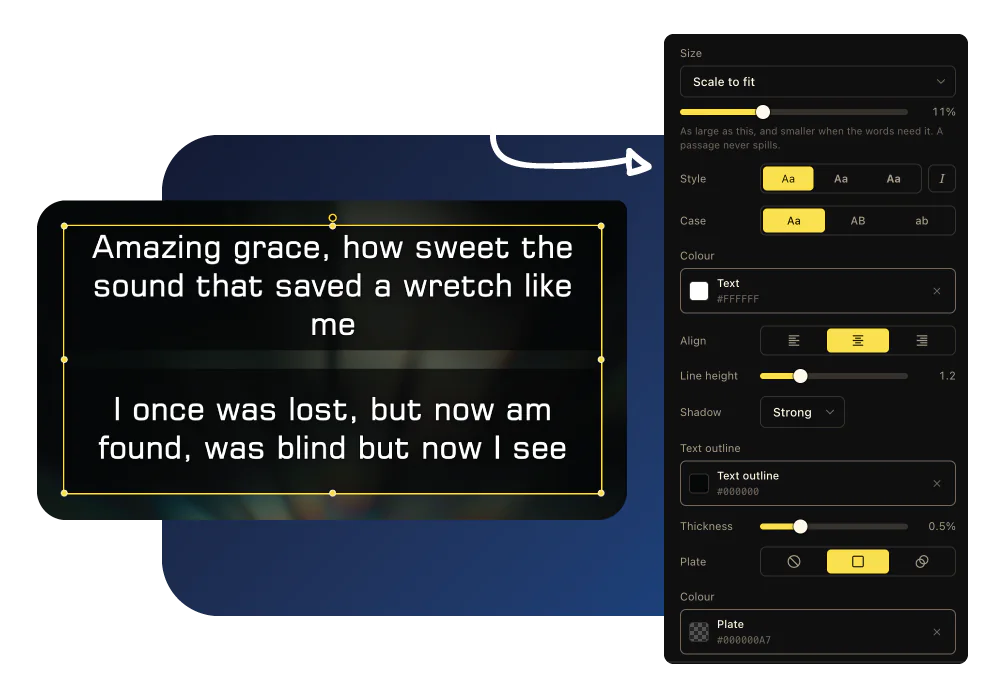
A template builder for verses and lyrics
Drag the verse, reference, lyric or picture onto a 16:9 frame. Fonts, colours and layout are yours, on screen and on stream.
Drop a .pro file or a whole .proBundle from ProPresenter 7 and we import the lyrics in slide order.
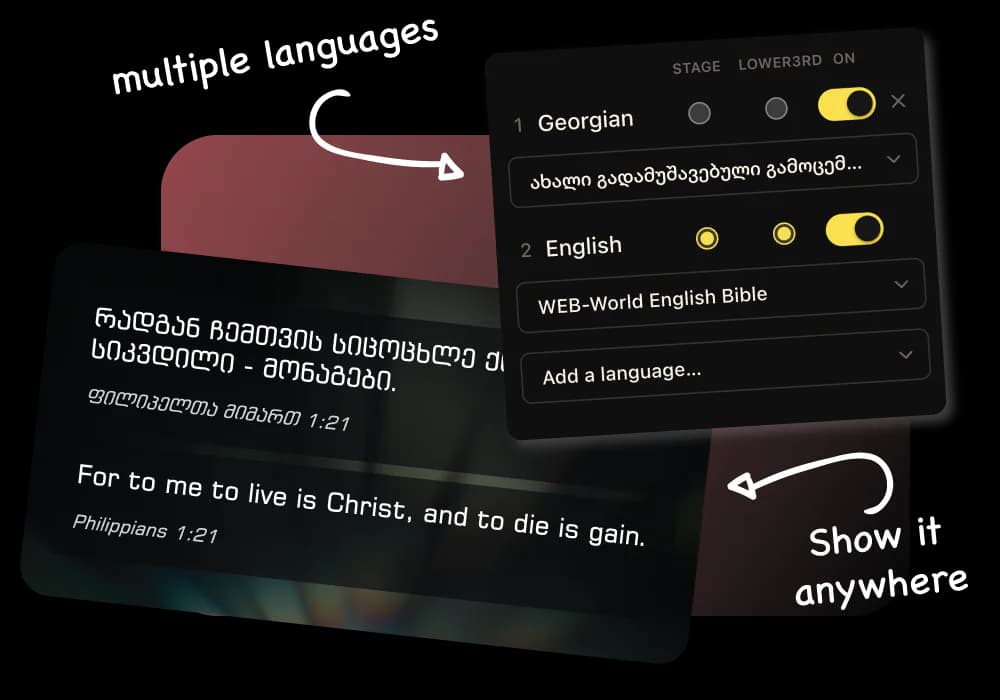
Dual-language Bible verses, side by side
Pick your languages and every verse appears stacked on one slide.
- Same order on projector and stream
- Turn a language off in one click
- Over a thousand translations from public archives
- Nothing to download or upload
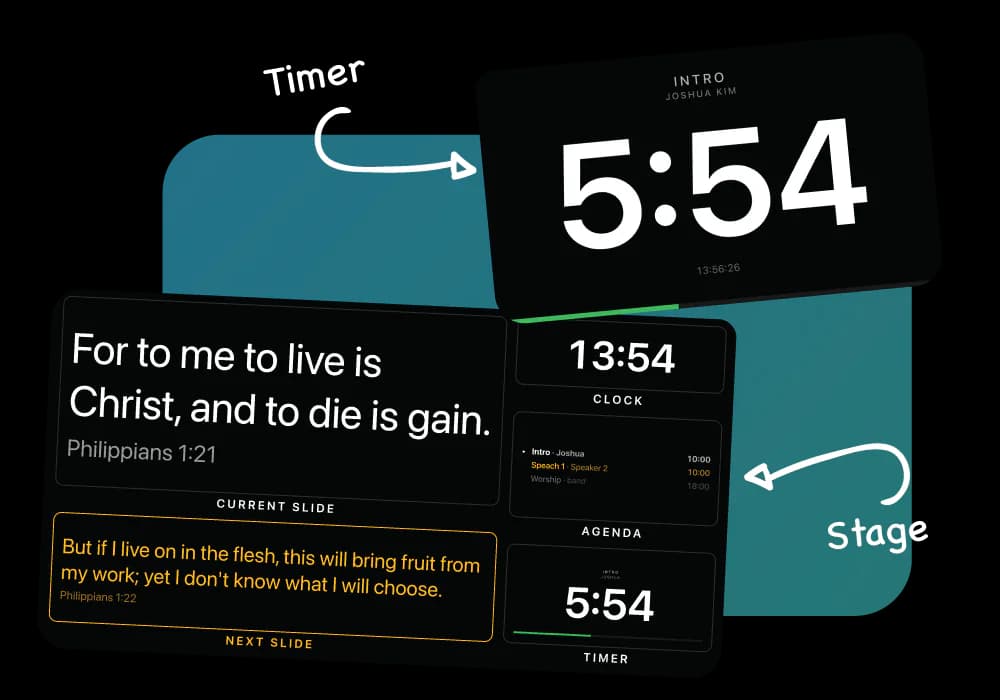
A stage display and timers built for the platform
Everything the speaker needs, on any cheap screen or old laptop.
- Current slide, next slide, clock and running order
- Countdowns you can adjust mid-service
- Private messages to the platform
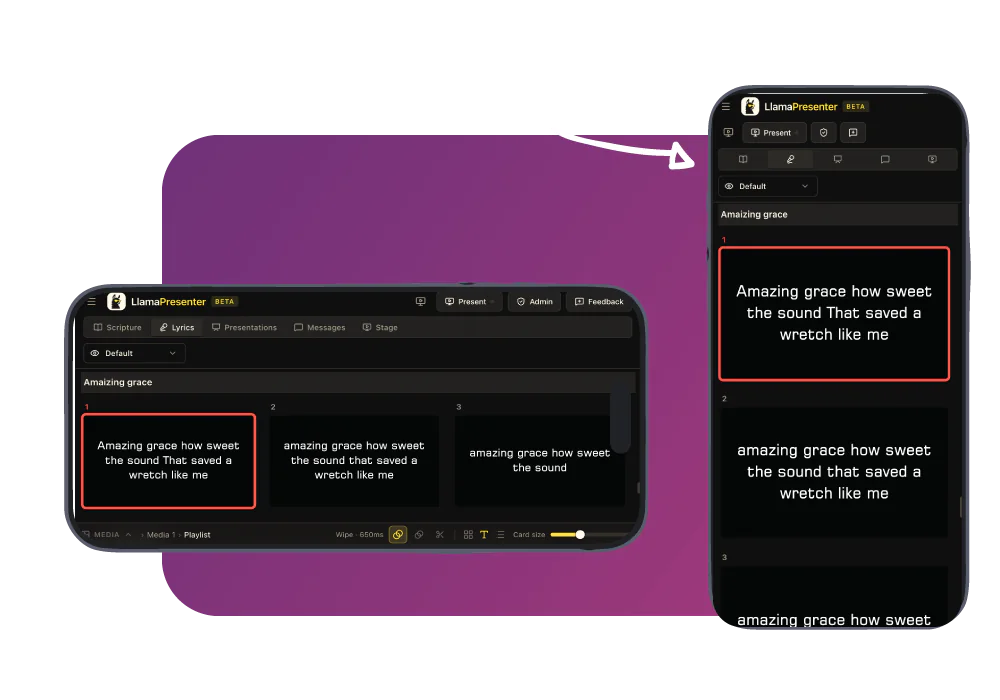
Run it from your phone, from anywhere in the room
Open the session on your phone to move slides or fire a name card. No app to install, and a second operator sees the same live slide.
When to stay with ProPresenter
ProPresenter has two decades of production tools, and some rooms suit it better.
- You need an installed app on every plan. Our offline desktop app comes with Pro.
- You build heavy productions: layered media, cued motion backgrounds, masks, network video.
- You drive slides from a lighting or playback desk over MIDI or timecode.
- Your team knows it, the licences are bought, and it does what Sunday needs.
Also compare our stage timer with a dedicated timer, or switching from a free, open-source presenter, EasyWorship or Proclaim.
See it in the console
Add a Bible translation
Add the Bible versions you need and display them together on the same slide. Switch languages without stopping your service.
Adding a translation from the archive inside the console, and picking it in the language picker
Questions about switching
Is LlamaPresenter a good ProPresenter alternative?
Yes, for churches that want something simpler: multilingual Bible verses, lyrics, projector, stage, livestream graphics and remote control.
Is there a free ProPresenter alternative for churches?
LlamaPresenter Free runs your Bible, both outputs and the stage. Pro raises limits on languages, songs and templates, and includes the desktop app.
Can I bring my songs over?
Yes. Drop a ProPresenter 7 file or bundle on the console and we import the lyrics; your template sets the look.
Do I have to replace ProPresenter to try this?
No. Run one midweek service from a laptop; nothing gets uninstalled or paid for.
What happens if the internet drops mid-service?
Screens keep the current slide; you just can’t change it until you reconnect. Pro’s desktop app runs fully offline.
Does the projector machine need an account?
No. Each output is a private link; only the console operator signs in.
Where do my backgrounds and music live?
On the computer running the console. We store names and settings, not the files.
Is this made by ProPresenter?
No. LlamaPresenter is a separate product with no arrangement with ProPresenter’s owner.
Try it on a midweek service.
Nothing to install or cancel. ProPresenter is still there on Sunday if it doesn’t suit you.
No credit card required
ProPresenter is a trademark of Renewed Vision, LLC. LlamaPresenter is not affiliated with, endorsed by or sponsored by Renewed Vision. Product names are used here only to say which product we are comparing ourselves with.