A school hall, a borrowed laptop
A plant meets where it can, sets up in half an hour and packs away again. Software that has to be installed and licensed on a particular machine is the wrong shape for that week.
What usually goes wrong
- The room is different, or the laptop is, or both.
- Whatever is installed at home is not installed on the machine in the hall.
- The budget for the first year is chairs and a projector, not a subscription per seat.
What answers it
Whatever computer is there
Sign in and your service is there: the songs, the running order, the templates, all of it.
Free while you are small
The free plan runs a full service and has no countdown on it.
The screen is a link
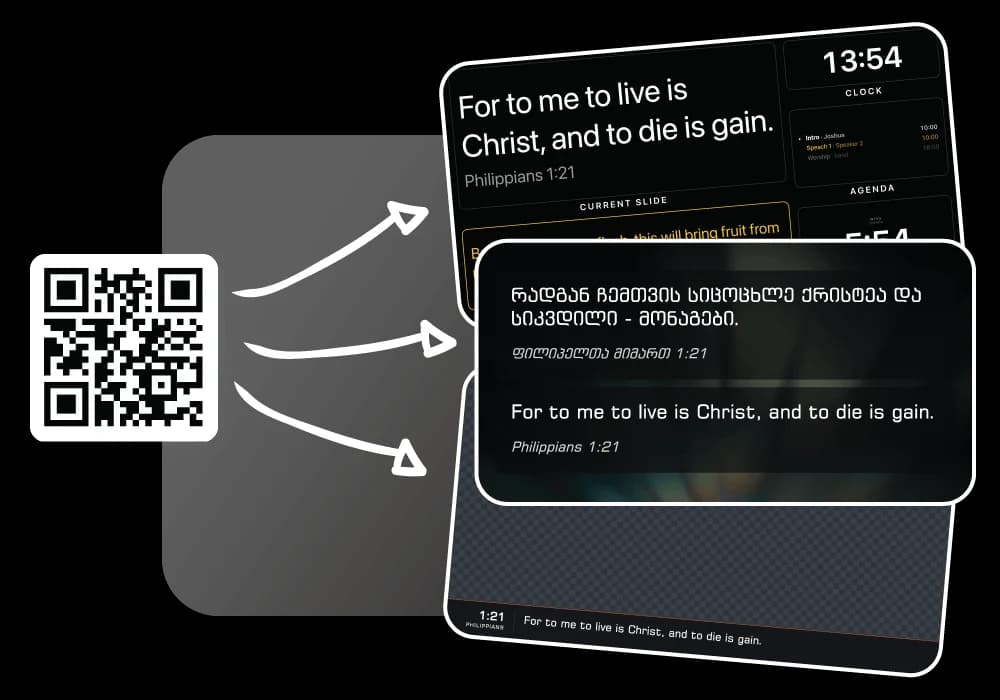
The hall TV or the projector laptop opens a link. No second install, no second licence.
Nothing to carry
The service lives in your account, not in a folder on the laptop that stayed at home.
How a Sunday runs
- Build the service during the week, from anywhere.
- Sign in on whatever computer the room has on Sunday.
- Open the projector link on the screen, and the stage link on a second one if you have it.
- Pack away. Nothing was installed, so nothing has to be uninstalled.
What a church like this uses
The jobs behind the sections above, each with a page of its own.
Bible verses on screen
Find a Bible passage, put it on screen, and move through it one verse at a time.
Worship song lyrics
Keep your song library organized, build your running order, and put lyrics on screen when you need them.
Stage display
Show the current slide, next slide, clock, and timer on a screen your team can see.
Questions
What if a different person sets up each week?
They sign in. There is no install to repeat and no licence to move between machines.
Can we use the hall’s own TV?
If it has a browser, or something plugged into it that does, yes. The output is a web page rather than a video signal.
What if the hall has no internet?
That is the honest limit today. Native Mac and Windows apps are being built for exactly that room, and they will run a service with no connection.
Churches like yours
Small churches
One volunteer, one screen and no budget for a licence per computer.
Volunteer teams
Whoever is in the booth signs in. Nothing to install, one version for everybody.
Every kind of church is on the solutions page, and the pricing page has what the free plan holds before Pro is worth it.
Try it on this Sunday
Nothing to install, a free plan that is not a countdown, and every screen a link.
No credit card required