Design slides once and use them every week
With Pro, create your own layouts for Bible verses and song lyrics. New content uses that design, and the projector and livestream can each have a layout that fits.
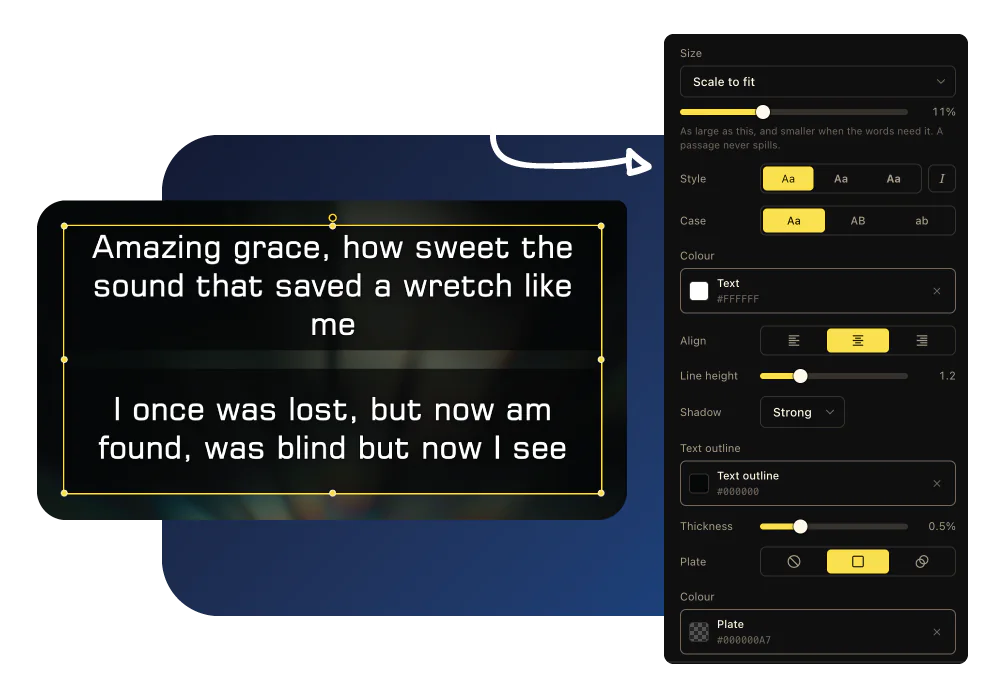
How LlamaPresenter helps
Place text where you want it
Choose the font, text size, position, and background in the browser editor.
Design for each screen
Use a separate layout for the projector and livestream when they need different text sizes or positions.
Use your own fonts with Pro
Choose a Google Font or add a supported font link for your slide designs.
Reuse the design for new content
Bible verses and song lyrics use their templates when you send them, so you do not edit every slide.
See it in the console
Add a Bible translation
Add the Bible versions you need and display them together on the same slide. Switch languages without stopping your service.
Adding a translation from the archive inside the console, and picking it in the language picker
How to use it
- Open the template editor and design your Bible verse layout.
- Create a separate template for your livestream.
- Choose a font or add your own.
- Run your service and each screen uses its assigned template.
Questions
Do I need to design every slide?
No. You design the template, and the verses and lyrics you send are drawn into it. There are no slides to keep in step with each other.
Can the livestream look different from the projector?
Yes. Each output carries its own template, which is usually the point: a wall and a stream want very different type.
Can we use our own fonts?
Yes. A Google Fonts family or a link to a woff2, woff, ttf or otf file. It travels with the slide, so the outputs draw it too.
Explore related features
Bible verses on screen
Find a Bible passage, put it on screen, and move through it one verse at a time.
Livestream graphics
Show Bible verses, lyrics, and lower thirds directly over your church livestream.
Motion graphics & templates
Show Bible verses and lyrics over motion backgrounds in your livestream.
Find more examples on the use cases page, and the comparison puts LlamaPresenter beside ProPresenter, EasyWorship, FreeShow and Proclaim.
Try it this Sunday
Start with the free browser app. Pro adds the desktop app and higher limits.
No credit card required