#1 pick: LlamaPresenter, free in your browser

Buyer’s guide

Best Church Presentation Software in 2026: the buyer’s shortlist

By the LlamaPresenter team · YouTube

Published

Choosing church presentation software decides how quickly a volunteer can put a verse, a lyric or a countdown on every screen. We compared the five options churches ask about most. Our pick for the best church presentation software in 2026 is LlamaPresenter: it is free to start, runs in a browser, and shows several Bible languages on one slide. We make it, so the criteria and the facts about every other product are below for you to check.

Switching from ProPresenter? Read the free step-by-step migration guide to bring your songs over and run your first service.

Key Takeaways

  • LlamaPresenter is the best church presentation software for most churches in 2026. It is the only option here that runs the full console in a browser with a free plan that never expires, and it puts two or more Bible languages on one slide from a single search.
  • ProPresenter remains the most powerful choice for large churches with a dedicated production team. It costs $29 per month for each seat, has no free plan, and takes the longest to learn.
  • EasyWorship and Proclaim are the established mid-priced subscriptions, from $17.50 and $24.99 per month. Both include CCLI SongSelect, and Proclaim adds stock media and the Logos Bible library.
  • FreeShow is the strongest free installed option. It is open source under GPL-3.0 and runs on Windows, macOS and Linux, but your services live in files on one computer rather than in a shared account.
  • Price is rarely the deciding factor. Check how each product handles a second language, how many computers need a licence, and whether volunteers can run the remote from their own phones.

What church presentation software actually is (and what it is not)

Church presentation software puts the words and pictures of a service on screens while the service is happening. It shows Bible verses, song lyrics, announcements, videos and countdowns, and it moves to the next slide when the operator, or a volunteer with a phone, says so.

It is built around live control. One person runs a service plan in order, while different screens show different things: the congregation sees the lyric, the band sees the next line and a clock on the stage display, and the livestream gets a clean lower third over the camera. Good software also handles the parts churches repeat every week, such as searching a Bible passage, importing a song, and keeping two languages in step.

It is not general slide software. PowerPoint, Keynote and Google Slides can show a verse, but they have no Bible search, no song library, no stage display and no separate livestream output. Every Sunday becomes a new deck built by hand.

It is also not streaming software. OBS and vMix mix cameras and audio and send the broadcast online; presentation software provides the graphics layer that sits on top. And it is not a planning tool: scheduling volunteers and rehearsal notes belong in a planning service, while the presenter runs what appears on screen.
See it in the console

Search once. Every language updates.

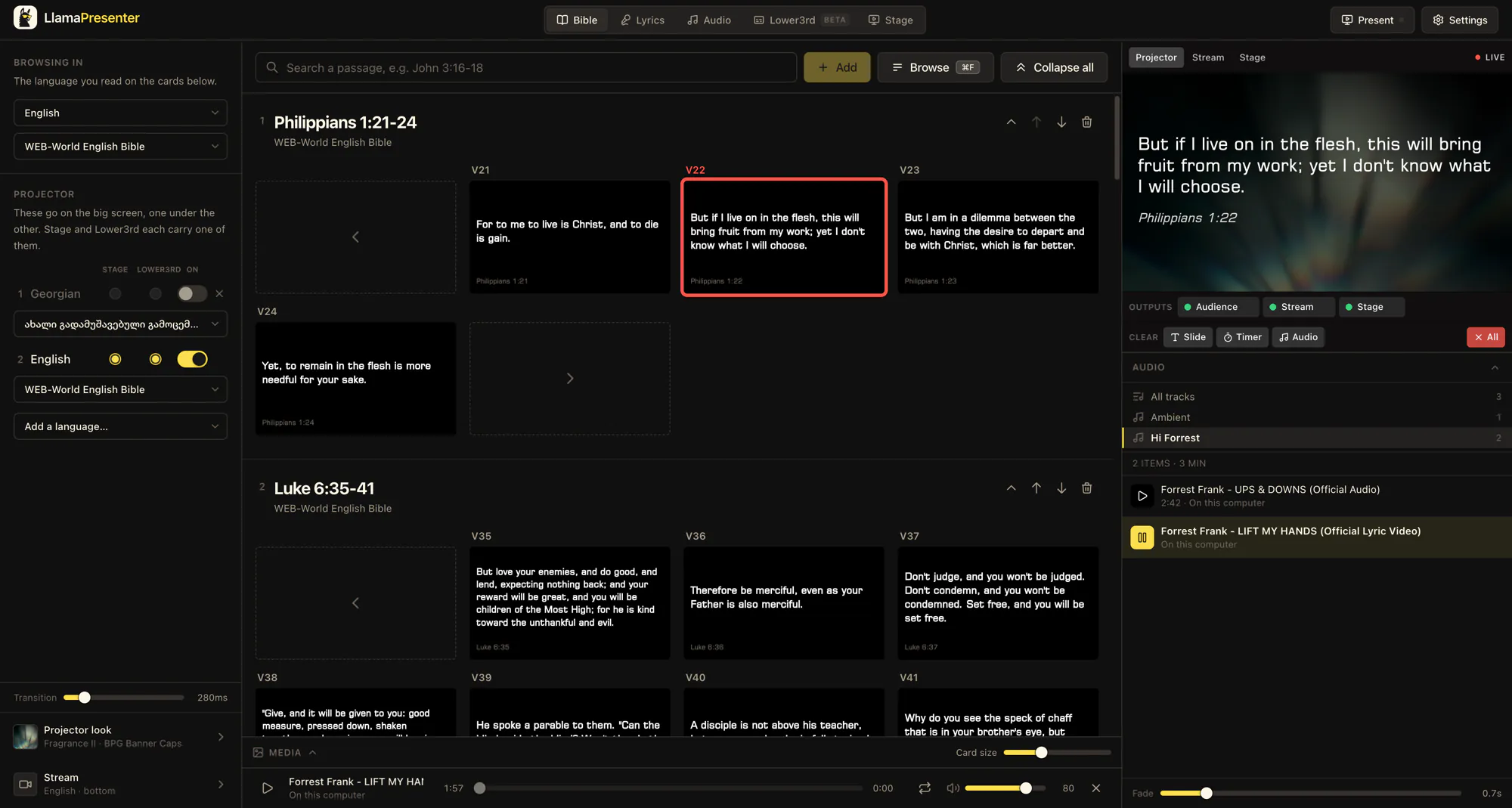
Type a reference and it appears on the live projector in every language you selected. You do not have to repeat the search for each translation.

llamapresenter.com/studio

Searching 2 Corinthians 7 with English and Ukrainian armed, the verse appearing live on the projector output

More walkthroughs on our YouTube channel.

How We Ranked These Church Presentation Software Options

We used the same five measures for every product, read from each maker’s own pricing pages and documentation in September and October 2026. We left out anything we could not verify, and we put our own product through the same test.

  1. 1

    Price to start

    The lowest monthly price a church pays to run a real Sunday service, in US dollars, and whether a free plan exists with no time limit.

  2. 2

    Where it runs

    How many platforms run the full console: Mac, Windows, Linux, Chromebook, or any device with a browser.

  3. 3

    Steps to a bilingual slide

    How a church puts two Bible translations on one slide: chosen languages from one search, or text boxes and slides set up by hand.

  4. 4

    Remote control without an install

    Whether a volunteer can control the service from a phone browser, or must install a separate remote app first.

  5. 5

    Screens from one session

    Whether the projector, stage display and livestream each get their own content from the same running service.

The Best Church Presentation Software in 2026

Five products made the shortlist. Each is ranked by how well it serves a typical church against the criteria above, not by how many features it has. Every entry ends with the kind of church it suits best, and each one is the right answer for someone. Prices were correct at the time of writing; check each maker’s site before you buy.

1. LlamaPresenter, best for multilingual churches that want to start free in a browser

The LlamaPresenter console in a browser, with Bible verse cards in the middle and the live projector preview, outputs and audio playlist on the right
  • Free plan, no time limit
  • Pro $9 per month
  • Browser, Mac, Windows
  • Phone remote, no app

LlamaPresenter is church presentation software that runs the whole console in a web browser, with a Mac and Windows desktop app included on Pro. It shows Bible verses, song lyrics, announcements, presentations and media on a projector, a stage display and a livestream overlay from one session.

Languages are its clearest difference. Search a passage once and it appears in every language you chose, on the same slide. Free shows 2 languages side by side and Pro shows up to 3. Each screen then picks its own languages, so the room can read two while the stream shows one. Over a thousand Bible translations are available from public archives inside the console, and Pro lets you upload your own.

The Free plan costs $0 and has no time limit. It includes the full Bible, 15 songs and the projector, stage and livestream outputs. Pro costs $9 per month and adds the desktop app, unlimited songs and playlists, custom templates, your own fonts and music, and offline local mode for prepared content. Volunteers control the service from a phone by scanning a QR code. There is no app to install. Song lyrics can be imported from ProPresenter exports.

It is the newest product on this list. CCLI SongSelect is not built in, stock media is not included, and offline presenting needs the Pro desktop app.

Best suited for

Churches that worship in two or three languages, and small teams that want to run a full service before paying anything. It also suits rotating volunteers, who sign in on whatever computer is in the booth.

2. ProPresenter, best for large churches with a dedicated production team

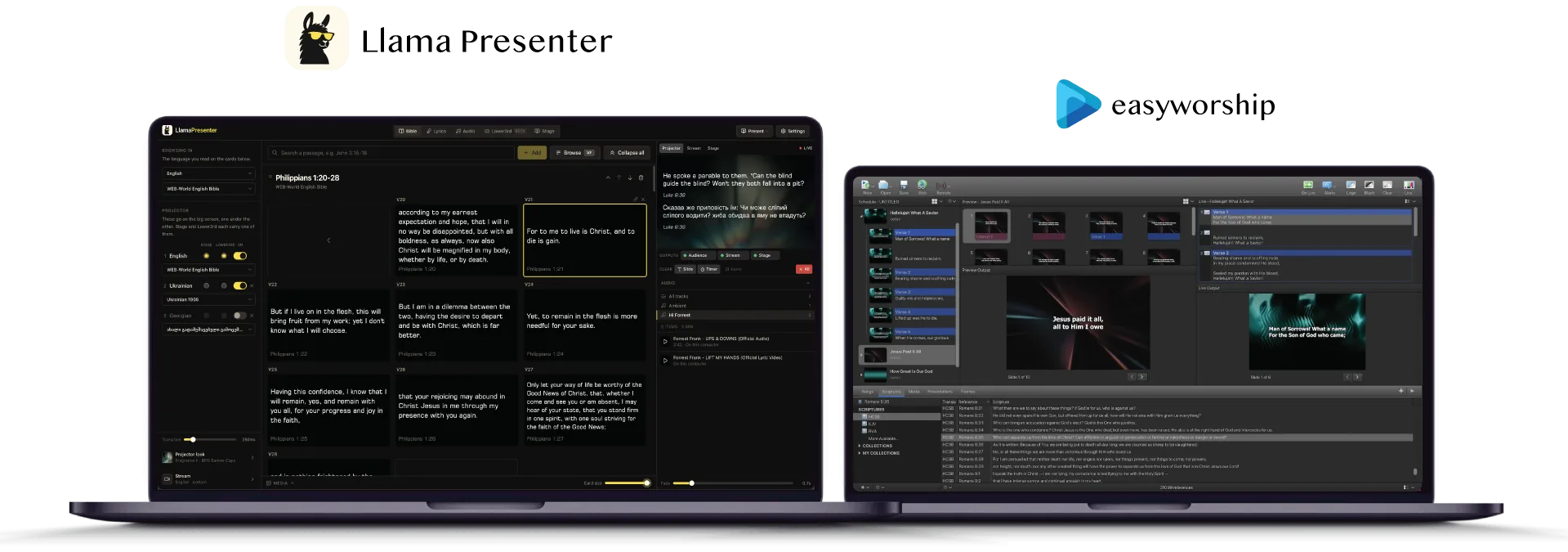
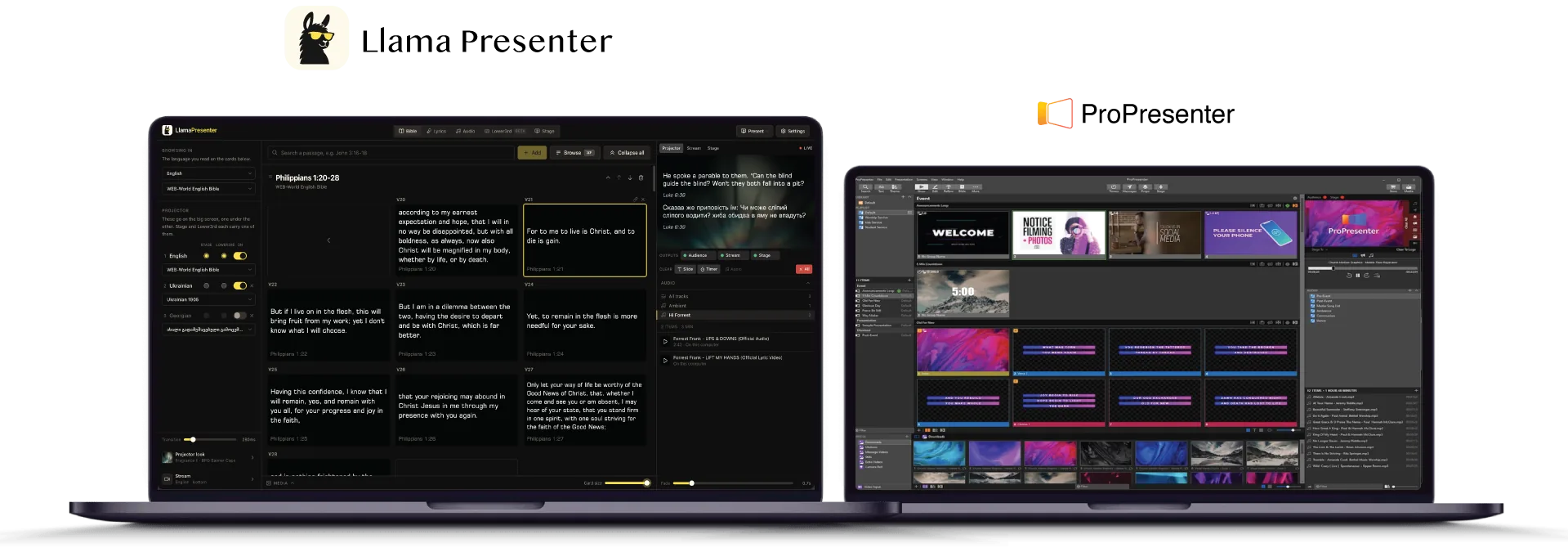
The LlamaPresenter console open in a browser on one laptop, with ProPresenter running on a second laptop beside it
  • $29/mo per seat
  • No free plan
  • Mac, Windows
  • SongSelect built in

ProPresenter, made by Renewed Vision, is the presentation software many large churches and live events standardise on. It installs on Mac and Windows and gives a trained operator very deep control over screens, layers, media and timing.

Looks and Themes decide what each output shows, stage layouts are fully customisable, and stage timers keep the service on schedule. NDI and Syphon on Mac connect it to video systems, and CCLI SongSelect is built in for licensed lyrics. A bilingual Bible slide is possible, but you map each translation to its own text box in a theme rather than choosing languages from one search.

The subscription costs $29 per month for each seat. There is no free plan. The remote control runs as a separate app, and the full editor is not available in a browser or on a phone.

Its depth is also its cost in time. In our comparison it has the steepest learning curve of the five, which matters when volunteers change every week.

Best suited for

Churches with paid production staff, several venues and a video system already built around NDI or capture cards. Smaller churches often pay for more than they use.

ProPresenter compared with LlamaPresenter in detail

3. EasyWorship, best for churches that want a traditional installed presenter at a lower price

The LlamaPresenter console open in a browser on one laptop, with EasyWorship running on a second laptop beside it
  • From $17.50/mo yearly
  • 30-day trial
  • Windows, Mac
  • SongSelect built in

EasyWorship, made by Softouch Development, is one of the longest-established church presenters. You install it on the booth computer. Version 8 runs natively on Windows and Mac, and schedules, songs and media move between the two.

The workflow is familiar to anyone who has built a service schedule: songs, scripture and media in an ordered list, with a live output and a preview. CCLI SongSelect is built in, stock media is part of the Premium plan, and the Alternate Output and Foldback settings drive a second screen and a simple stage view. A remote app controls the service from a phone.

Pricing starts at $17.50 per month billed yearly, with a 30-day trial and a campus licence rather than a price for each seat. There is no free plan after the trial.

For a second language, EasyWorship relies on text you set up by hand on each slide rather than on languages linked to one passage, so bilingual services take more preparation every week.

Best suited for

Single-language churches that want a classic installed program with built-in licensed lyrics and stock media. It suits teams that prepare the service on one dedicated computer.

EasyWorship compared with LlamaPresenter in detail

4. Proclaim, best for churches that already use Logos Bible Software

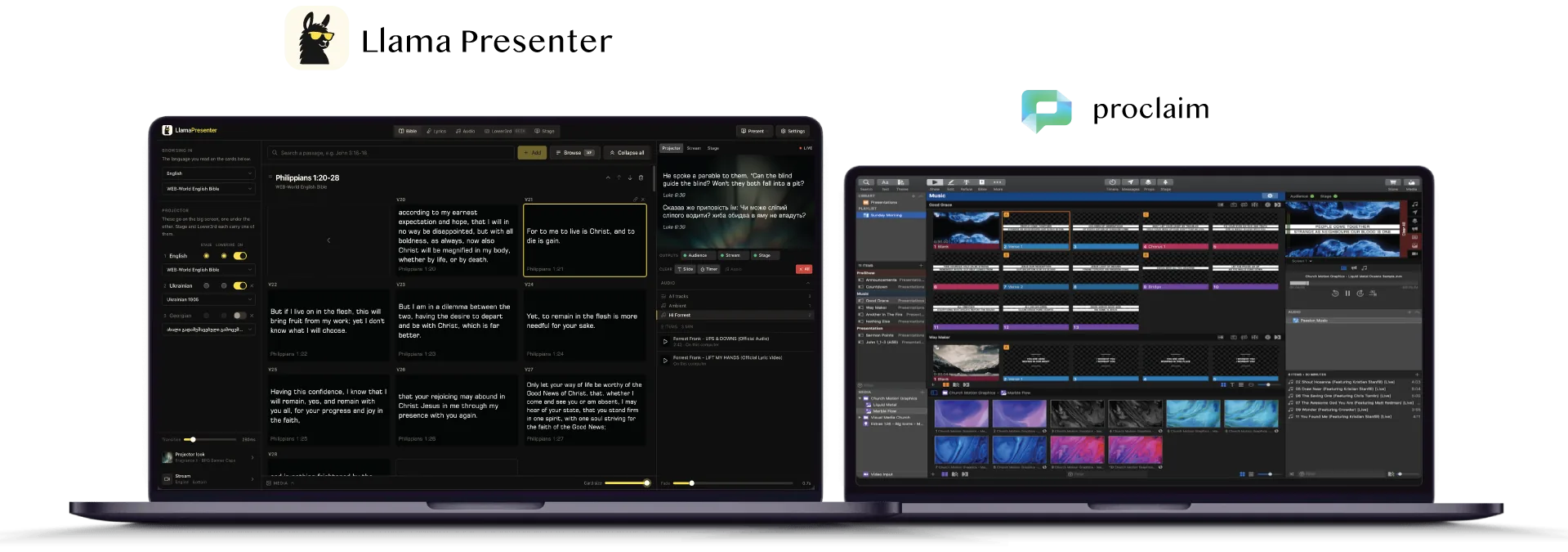
The LlamaPresenter console open in a browser on one laptop, with Proclaim running on a second laptop beside it
  • From $24.99/mo
  • 14-day trial
  • Mac, Windows
  • Logos library + stock media

Proclaim, from Faithlife, the company behind Logos Bible Software, is a cloud-connected presenter. The service plan lives online so several people can edit it together, while the presentation itself runs in an app installed on Mac or Windows.

Its strongest feature is the Logos Bible library, which suits pastors who already prepare sermons in Logos. Stock media is included, CCLI SongSelect is built in, and one subscription covers the whole team. Virtual screens drive several outputs, and confidence templates and counters cover the stage.

Because the plan lives in Faithlife’s cloud, a song added in the office on Thursday is already in the service on the booth computer on Sunday, and a second volunteer can edit the same plan from home. The presentation itself still runs in the installed app, so every computer that presents needs it.

Pricing starts at $24.99 per month, with a 14-day trial and no permanent free plan. The remote control installs as a separate app.

As with EasyWorship, a bilingual slide is built by setting up the second language by hand in each layout, rather than linking translations to one passage.

Best suited for

Churches whose pastors already study in Logos, and teams that want stock media included in one subscription. Single-language congregations get the most from it.

Proclaim compared with LlamaPresenter in detail

5. FreeShow, best for zero-budget teams comfortable with open source

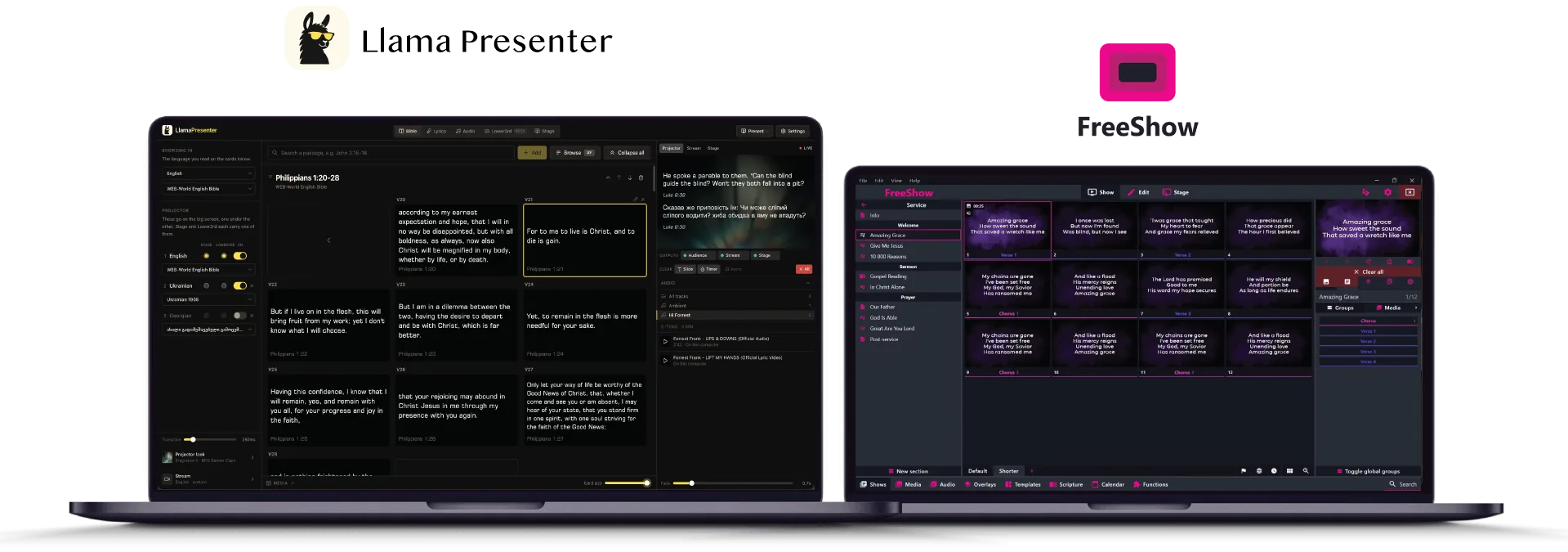
The LlamaPresenter console open in a browser on one laptop, with FreeShow running on a second laptop beside it
  • Free, open source
  • Windows, Mac, Linux
  • Browser remote
  • No hosted account

FreeShow is a free, open-source presentation program created by Kristoffer Vassbø and released under the GPL-3.0 licence. You install it on Windows, macOS or Linux, and it costs nothing to use.

It is more capable than its price suggests. A browser remote, custom stage layouts, output settings for each screen, timers, events and one-click actions are all included. Bible Collections and dynamic templates put two translations on one slide, and Bibles come from API.Bible or XML files you import.

The trade-off is where your service lives. Shows and media sit in files on the computer that runs them, so if that laptop fails on Saturday night, the service goes with it unless you made a backup. There is no hosted account to sign in to from another computer, and no company support contract.

Song lyrics are typed or imported, and bilingual songs are set up by hand rather than linked between languages.

Best suited for

Churches with no software budget and a technically confident volunteer who will keep the computer and backups in order. It is also the only installed presenter here with a Linux build.

FreeShow compared with LlamaPresenter in detail

Side-by-Side Comparison

The same five criteria, plus the details buyers ask about next: licensed lyrics, stock media, offline use and how long it takes a new volunteer to learn. “Not confirmed” means we could not verify it, not that the answer is no.

Church presentation software compared, October 2026
CriteriaLlamaPresenterProPresenterEasyWorshipProclaimFreeShow
Price to startFree$29/mo per seatFrom $17.50/moFrom $24.99/moFree
Paid planPro $9 per monthSubscriptionSubscriptionSubscriptionNone
Free plan with no time limitYesNoNoNoYes
PlatformsAny browser; Mac, WindowsMac, WindowsWindows, MacMac, WindowsWindows, Mac, Linux
Full console in a browserYesNoNoNoNo
Remote controlBrowser, no appAppAppAppBrowser
Bilingual Bible setupChoose languagesMap text boxesManual text setupManual text setupBible Collections
Bilingual song setupLinked languagesManual text setupManual text setupManual text setupManual text setup
CCLI SongSelect built inNoYesYesYesNot confirmed
Stock media includedNoNoOn PremiumYesNo
Presents with no internetDesktop app (Pro)YesYesYesYes
Learning curveEasyComplexModerateModerateModerate

Want more rows? The full comparison adds screen control, Actions and Bible sources.

Which church presentation software fits your church

Start from the church you are, not the feature list. Find the row that sounds most like your Sunday.

Best church presentation software by type of church
Your churchBest fitWhyAlso consider
Bilingual or multilingual congregationLlamaPresenterOne passage search fills every language, and each screen chooses its own languages.FreeShow
Small church or church plant on a tight budgetLlamaPresenterA free plan with no time limit covers the Bible, projector, stage and livestream.FreeShow
Large church with paid production staffProPresenterThe deepest control over layers, outputs and video systems, for trained operators.LlamaPresenter Pro
Church whose pastor studies in LogosProclaimThe Logos Bible library is built in, alongside stock media.EasyWorship
Rotating volunteers, no fixed booth computerLlamaPresenterVolunteers sign in from any browser and run the remote from their own phones.Proclaim
Linux computers in the boothFreeShowThe only installed presenter here with a Linux build.LlamaPresenter in the browser

What results look like with LlamaPresenter

A bilingual Sunday, run by one volunteer. The pastor announces John 3:16; the operator types the reference once and the verse appears in English and Ukrainian on the projector, in one language on the stream, and with the next slide and a countdown on the stage display. The worship leader’s songs move in both languages together, and the volunteer advances from a phone at the side of the room.

1 search
puts a verse on screen in every language you chose, instead of one search for each translation
3 languages
on one slide on Pro, with each screen choosing which of them it shows
3 screens
from one session on Free: projector, stage display and a livestream overlay
$0
to run a full Sunday service, with no trial that runs out

See the full workflows for multilingual services, livestream graphics and every other use case.

Frequently asked questions

What is the best church presentation software in 2026?

For most churches, LlamaPresenter: it is free to start, runs in a browser, and handles several languages on one slide. Large churches with production staff often prefer ProPresenter for its depth.

What is the best free church presentation software?

LlamaPresenter and FreeShow both have free plans with no time limit. LlamaPresenter runs in a browser with your services in a shared account, while FreeShow is open source and installed on one computer.

How do I show Bible verses in two languages at once?

In LlamaPresenter, choose the languages, search the passage once, and every translation appears on the same slide. In most installed presenters you map each translation to its own text box or set up the second language by hand.

How much does church presentation software cost?

At the time of writing, prices run from free (LlamaPresenter Free, FreeShow) to $17.50 per month for EasyWorship, $24.99 for Proclaim and $29 per seat for ProPresenter. Check whether the price covers the whole team or each computer.

What happens if the internet goes down during a service?

Installed presenters keep running offline. LlamaPresenter’s browser plan needs a connection, but the Pro desktop app has an offline local mode for content you prepared in advance.

How hard is it to switch from ProPresenter?

You can import song lyrics from ProPresenter exports and run both side by side while you learn. Our migration guide walks through the first service step by step.

What do I need to connect a projector, stage display and livestream?

In LlamaPresenter, each screen opens its own link in a browser or the desktop app, and the livestream overlay is added to OBS or vMix as a transparent browser source. Installed presenters configure each output inside the program.

Try LlamaPresenter for free (no credit card required)

You can test the top pick on this list today, on the computer you already have.

Open the console in a browser and put a verse on a screen in a few minutes.

Choose your languages and watch one search fill every translation on the slide.

Connect the projector, stage display and livestream with a link for each.

Keep running your current software alongside it until you are sure.

When you are ready, start free in your browser and run your next Sunday with it.

ProPresenter is a trademark of Renewed Vision, LLC. EasyWorship is a trademark of Softouch Development, Inc. Proclaim and Logos are trademarks of Faithlife Corporation. FreeShow is an open-source project owned by its authors. LlamaPresenter is not affiliated with, endorsed by or sponsored by any of them.