Keep your service on time
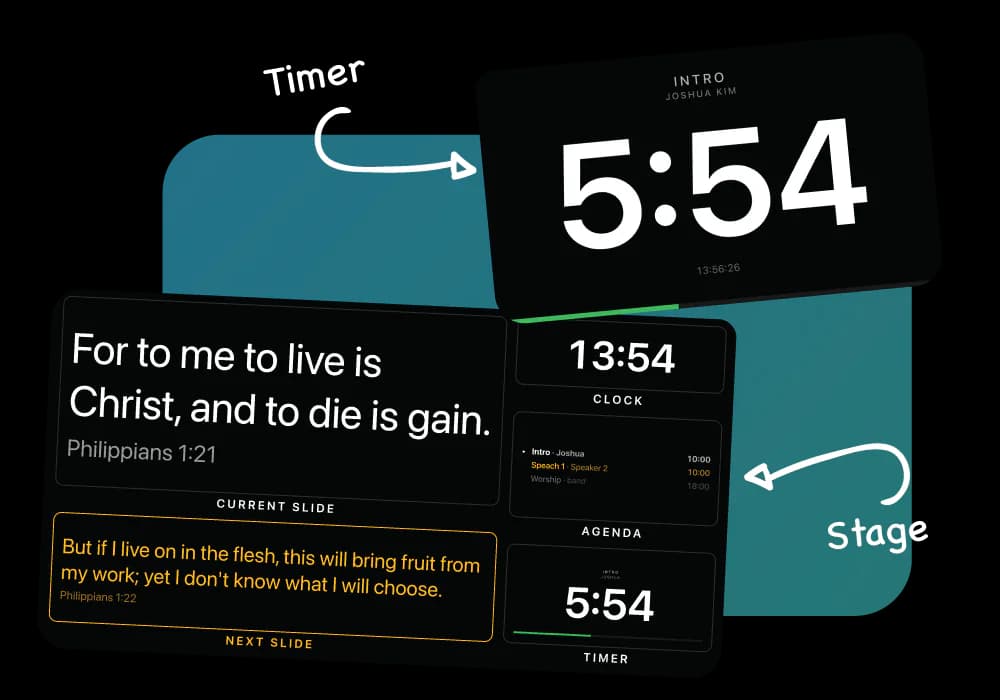
Plan the time for each part of the service, show a countdown to your team, and adjust it as the service moves.
How LlamaPresenter helps
Plan time for each service item
Set a duration for each part of the service and keep the order visible.
Show the countdown to your team
Put the timer beside the stage slides or open a separate timer-only display.
Change the time during the service
Add or remove minutes without restarting the countdown.
Keep displays on the same timer
Connected stage and timer displays follow the same countdown.
See it in the console
Add a Bible translation
Add the Bible versions you need and display them together on the same slide. Switch languages without stopping your service.
Adding a translation from the archive inside the console, and picking it in the language picker
How to use it
- Set the planned time for each part of your service.
- Start the countdown when the segment begins.
- Adjust the time as the service moves.
- Let your team follow the same countdown.
Questions
Do we need a separate timer app?
No. The timer is part of the same session as the slides, so the operator does not switch tabs to run it.
Can the team see the timer on its own screen?
Yes. There is a timer-only link you can open on a separate display.
What happens if a screen reloads during a countdown?
It picks the run back up where it is. The countdown is described by when it started, not by a number being pushed to it.
Explore related features
Stage display
Show the current slide, next slide, clock, and timer on a screen your team can see.
Lower thirds
Show speaker names and roles over your livestream, then clear them automatically.
Bible verses on screen
Find a Bible passage, put it on screen, and move through it one verse at a time.
Find more examples on the use cases page, and the comparison puts LlamaPresenter beside ProPresenter, EasyWorship, FreeShow and Proclaim.
Try it this Sunday
Start with the free browser app. Pro adds the desktop app and higher limits.
No credit card required