PowerPoint alternative
Stop building a slide for every verse
PowerPoint is made for any kind of slide. LlamaPresenter is made for church services: search the Bible, pick a song, and send each screen what it needs.
Find a verse in seconds
Type a reference or a few words and the verse is on a slide. No copying from a Bible website.
Keep every song in one library
Save each song once, then add it to any service. Lyrics follow your template.
Give each screen its own view
Set up the projector, a stage display for the platform, and graphics for the livestream.
What you can do with LlamaPresenter
Show verses and lyrics without building a slide for each one, and start free.
Show the languages your church uses
Choose which Bible and song lyric languages appear on each screen.
Run the service in your browser
Open the console on a laptop, tablet, or phone.
Choose what each screen shows
Set up separate views for the projector, stage display, and livestream.
Start with the free plan
Free runs in the browser. Pro raises limits and includes the desktop app.
Feature comparison
| Feature | LlamaPresenter | PowerPoint |
|---|---|---|
| Bible and songs | ||
| Built-in Bible search | LlamaPresenter: yes, Built-in Bible search | PowerPoint: no |
| Automatic two-language verses | LlamaPresenter: yes, Automatic two-language verses | PowerPoint: no |
| Song library | LlamaPresenter: yes, Song library | PowerPoint: no |
| Import Bible translations | LlamaPresenter: yes, Import Bible translations | PowerPoint: no |
| Live service | ||
| Songs and decks in one playlist | LlamaPresenter: yes, Songs and decks in one playlist | PowerPoint: no |
| Separate stage output | LlamaPresenter: yes, Separate stage output | PowerPoint: no |
| Languages per output | LlamaPresenter: yes, Languages per output | PowerPoint: no |
| Transparent livestream output | LlamaPresenter: yes, Transparent livestream output | PowerPoint: no |
| Price | ||
| Free browser app | LlamaPresenter: yes, Free browser app | PowerPoint: yes, Free browser app |
| Desktop subscription / year | $190/yr | $99.99/yr |
Built-in features, without add-ons. PowerPoint sources: Presenter View, slide masters and sections. Annual desktop prices: LlamaPresenter Pro and Microsoft 365 Personal US list prices. Checked October 2026.
What both do
PowerPoint covers all of this, and so do we. It is listed here rather than in the table because a row that is a yes on both sides is not a reason to choose either one.
- Slides on a projector
- Your own backgrounds and pictures
- Fonts, colours and layouts you choose
- Slide transitions
- Announcement and sermon slides
- Running on a Mac or Windows laptop
See it in the console
Show one passage in every selected language
Type a reference and it appears on the live projector in every language you selected. You do not have to repeat the search for each translation.
Searching 2 Corinthians 7 with English and Ukrainian selected, then showing the verse on the projector
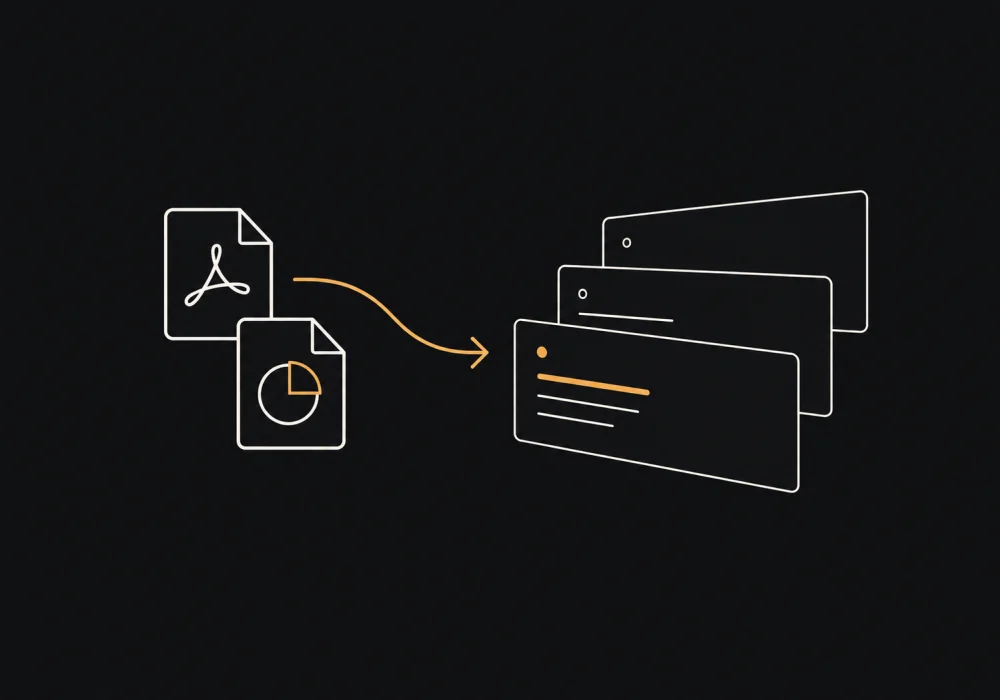
Bring your PowerPoint slides with you
Import a PowerPoint or PDF and every slide keeps its original look. Run it next to your verses and songs in the same service.
- Slides import as images, so the design stays the same
- Run a deck by hand, on a loop, or in a playlist
- Files stay on your computer while they import
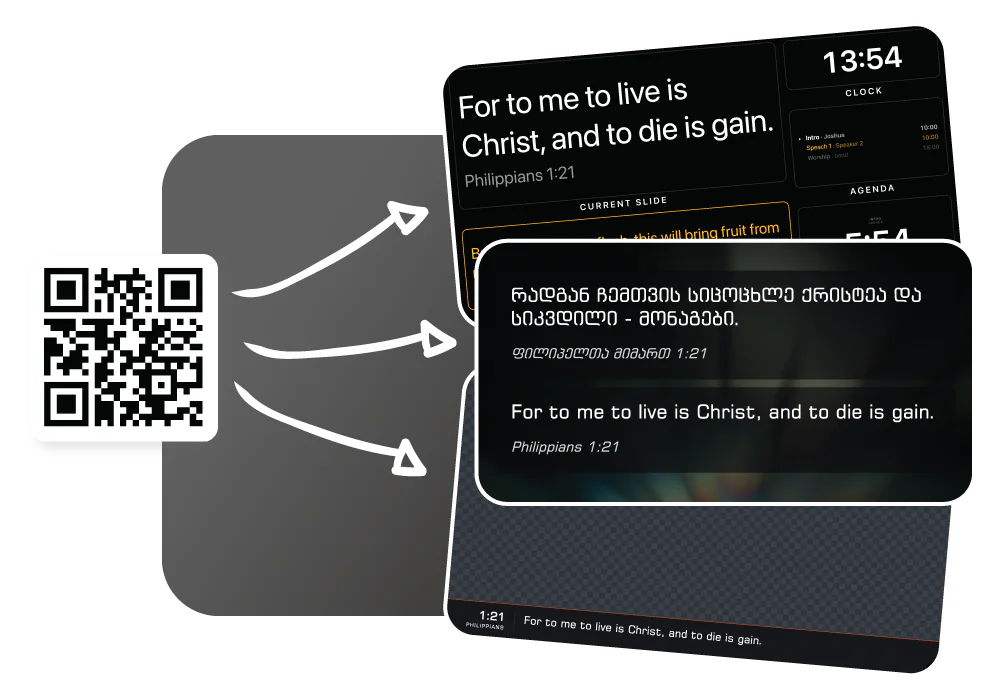
Show content on every screen
Set up the projector and the stage display, then send stream graphics to OBS or vMix. Each screen shows what it needs from the same service.
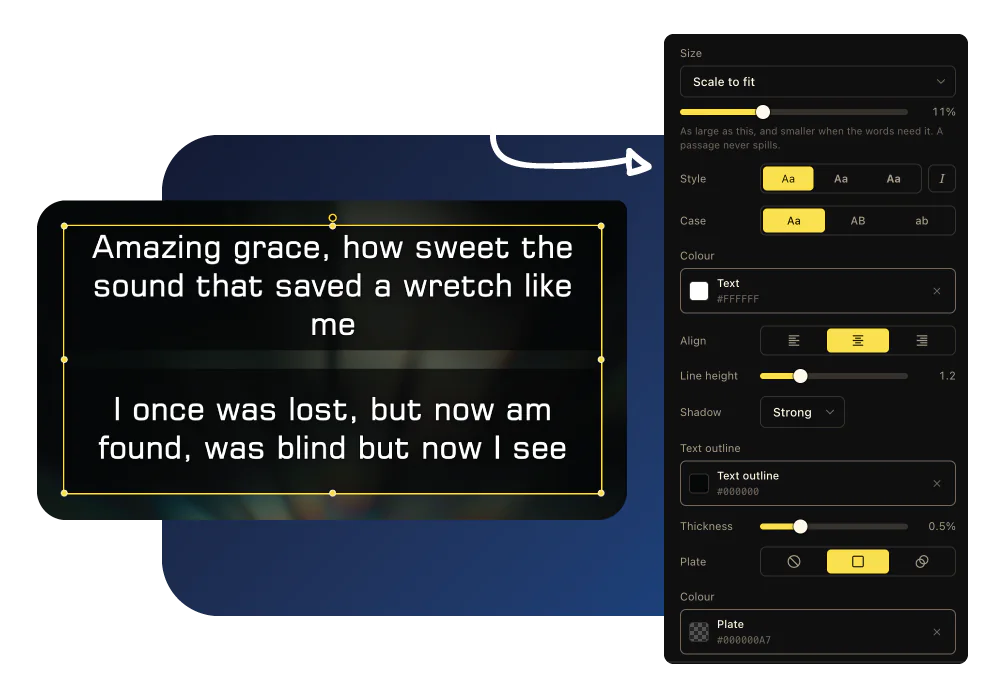
One template for every verse and lyric
Design the look once. Every verse and lyric follows it, so you never fix fonts slide by slide before Sunday.
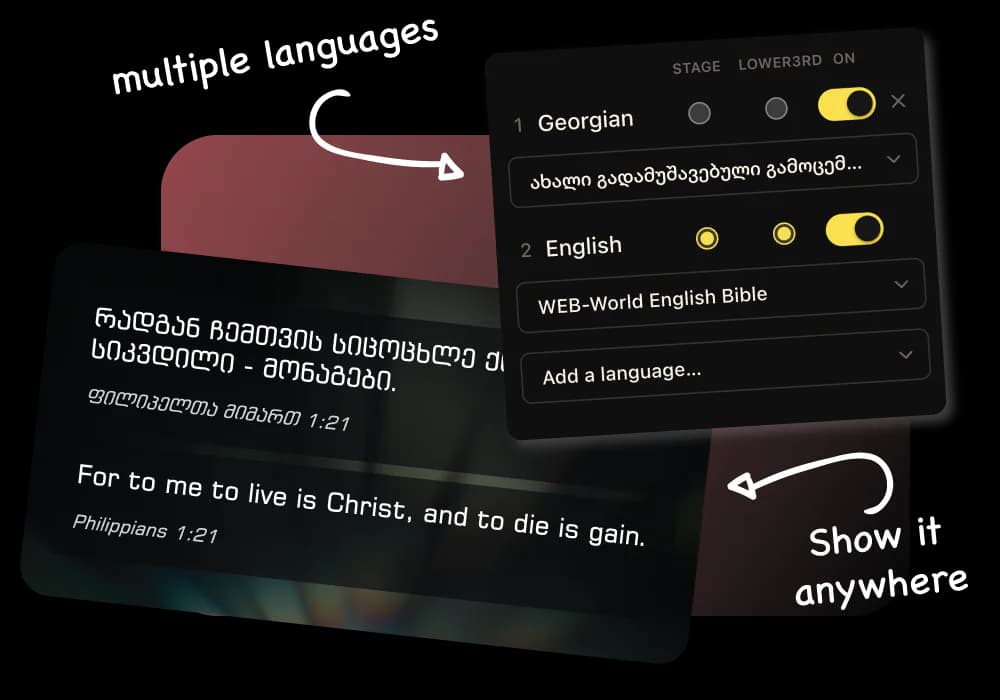
Dual-language Bible verses, side by side
Pick your languages and every verse appears stacked on one slide, with no second text box to type.
When to stay with PowerPoint
PowerPoint is excellent slide software, and some churches don’t need more.
- Your service is mostly sermon slides with charts, diagrams and animations.
- You rarely show Bible verses or song lyrics on screen.
- You use one screen and don’t need a stage display or livestream graphics.
- Your team already builds every slide in PowerPoint and it fits your Sunday.
Also compare us with ProPresenter, EasyWorship, or see every option side by side.
Questions about switching
Is LlamaPresenter a good PowerPoint alternative for church?
Yes, if most of your screens are Bible verses and song lyrics. You search for a verse or pick a song instead of building a slide for each one.
Can I use my existing PowerPoint slides?
Yes. Import a PowerPoint, OpenDocument or PDF file and each slide becomes an image in a presentation you can run during the service. Animations and embedded audio or video do not carry over.
Is it free?
LlamaPresenter Free runs in the browser with Bible verses, lyrics, the projector, the stage display and a stream output. Pro raises the limits and includes the desktop app.
Can I show two languages on one slide?
Yes. Choose the translations once and every verse appears in both languages, in the same order.
What does the speaker see on stage?
The stage display shows the current slide, the next one, the clock, the running order and any countdown. It can be on its own screen.
Is this made by Microsoft?
No. LlamaPresenter is a separate product with no arrangement with Microsoft.
Try it on your next service.
Import last Sunday’s slides, add a verse and a song, and see how it runs.
No credit card required
PowerPoint and Microsoft 365 are trademarks of the Microsoft group of companies. LlamaPresenter is not affiliated with, endorsed by or sponsored by Microsoft. Product names are used here only to say which product we are comparing ourselves with.