Multiple Bible translations on one slide
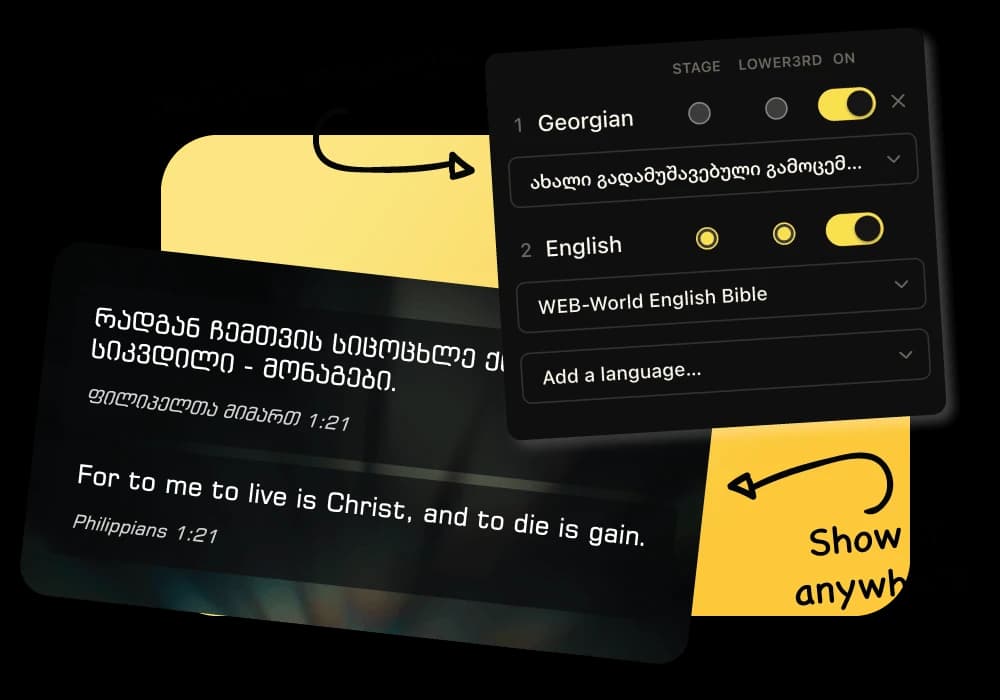
Show two or more translations together from a single scripture search. Change the passage without copying text between slides.
Multilingual church presentation software
Prepare one service for a congregation that worships in more than one language. LlamaPresenter keeps Bible translations, song lyrics, and every screen connected, so your team does not have to maintain separate presentations.
Multilingual services often create extra work long before Sunday. A volunteer copies scripture into a second language, adjusts the layout, and checks that both versions still match. A small change to the passage can mean editing the same content twice.
LlamaPresenter starts with the passage itself. Choose the Bible translations your church uses, search once, and show them together. You can put two languages on the projector while the stage display or livestream uses only the language that audience needs.
Songs follow the same approach. Store each language with the song, arrange the sections once, and decide which versions appear on each output. The presentation stays readable without creating a separate deck for every group in your church.
Show two or more translations together from a single scripture search. Change the passage without copying text between slides.
Choose languages separately for the projector, stage display, and livestream. The room and the online congregation do not have to see the same combination.
Keep every translation with the song and display the versions your congregation is singing. Verses, choruses, and bridges stay in one running order.
Choose from the public translation archive or upload a supported Bible file. Your own translation works alongside the others in your account.
Choose the Bible translations and song languages used by your congregation.
Decide which languages belong on the projector, stage display, and stream.
Add scripture, songs, announcements, and media to a single running order.
Turn a language on or off without rebuilding the slide or interrupting the service.
Yes. Select both translations and LlamaPresenter lays them out together from the same passage.
Yes. Each output has its own language settings, so the room, stage, and livestream can serve different audiences.
Yes. A song can hold lyrics in multiple languages, and you can choose which ones appear on each screen.
You can search the public archive from LlamaPresenter or upload a supported Bible file that you already have permission to use.
Start with the browser-based Free plan. Upgrade to Pro for higher limits and the included Mac and Windows desktop app.