Feature

Presentation templates

Welcome screens, announcements, sermon series, worship, giving and holidays, designed and ready to edit. Pick one, put your church’s name on it, and it is on the screen.

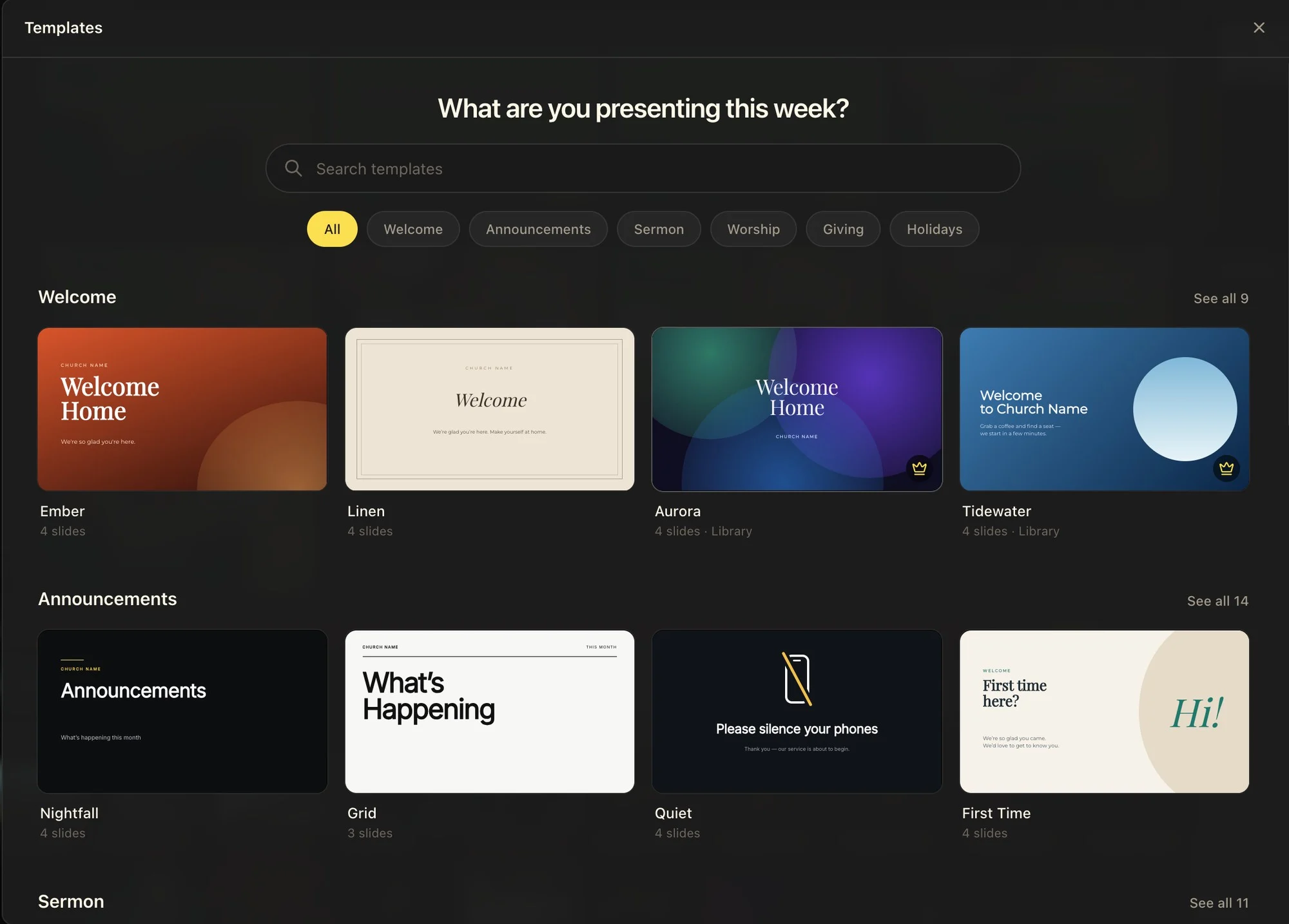
The template gallery: a search box, category chips, and rows of Welcome and Announcements templates, some marked with a crown
Search, or browse by Welcome, Announcements, Sermon, Worship, Giving and Holidays. Templates with a crown are part of the Template Library.

From the gallery to the screen.

Find a template by what you are presenting, look through every slide, then make it your own in the editor you already use.

See every slide first

Open a template to page through all of its slides at full size: the title, the scripture, the speaker, ways to give. Use Template adds them as a new presentation, and its pictures download once and keep working offline.

Open the template gallery
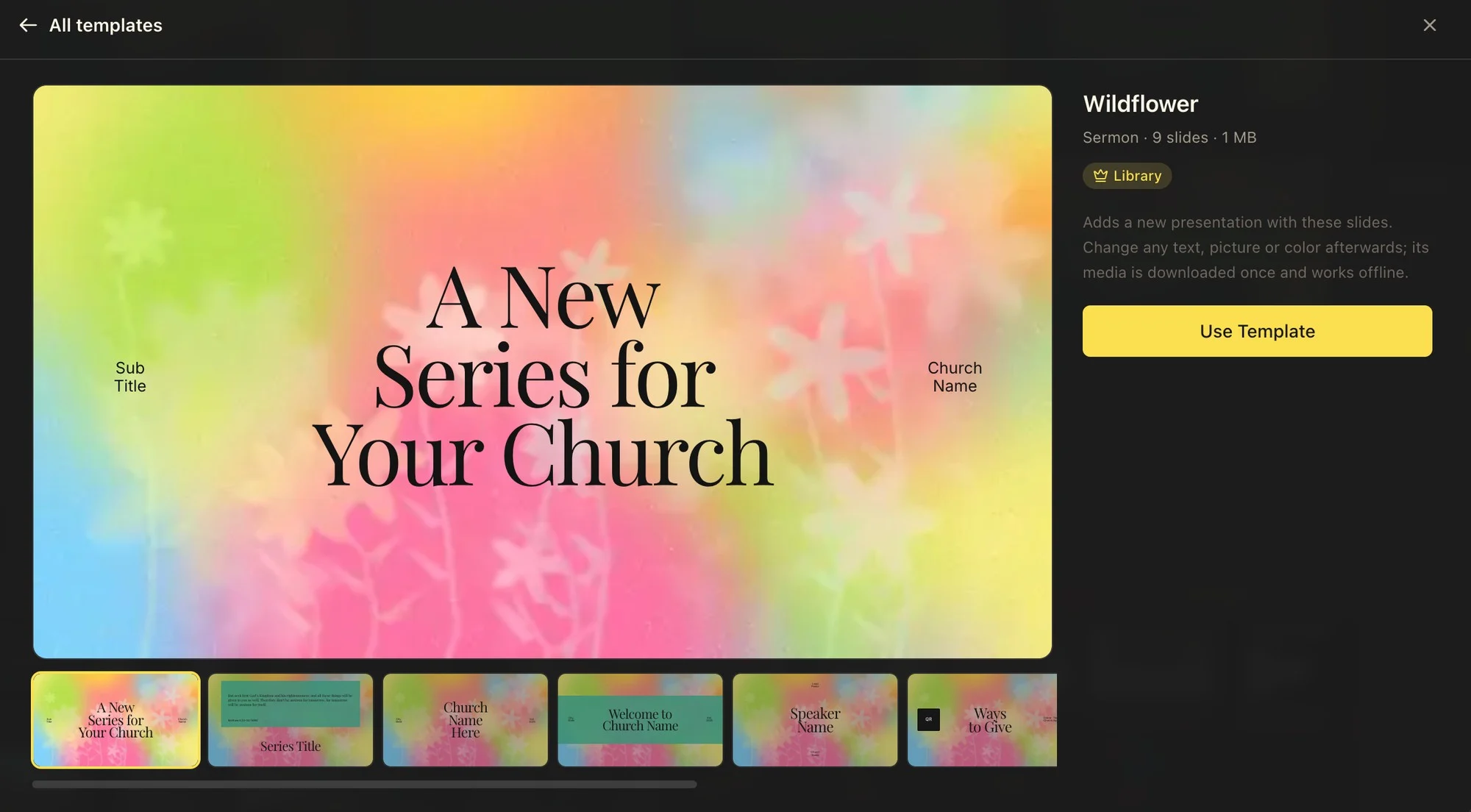
The Wildflower sermon template open in the gallery, with its title slide large and the other slides in a row beneath it

Make it your church’s

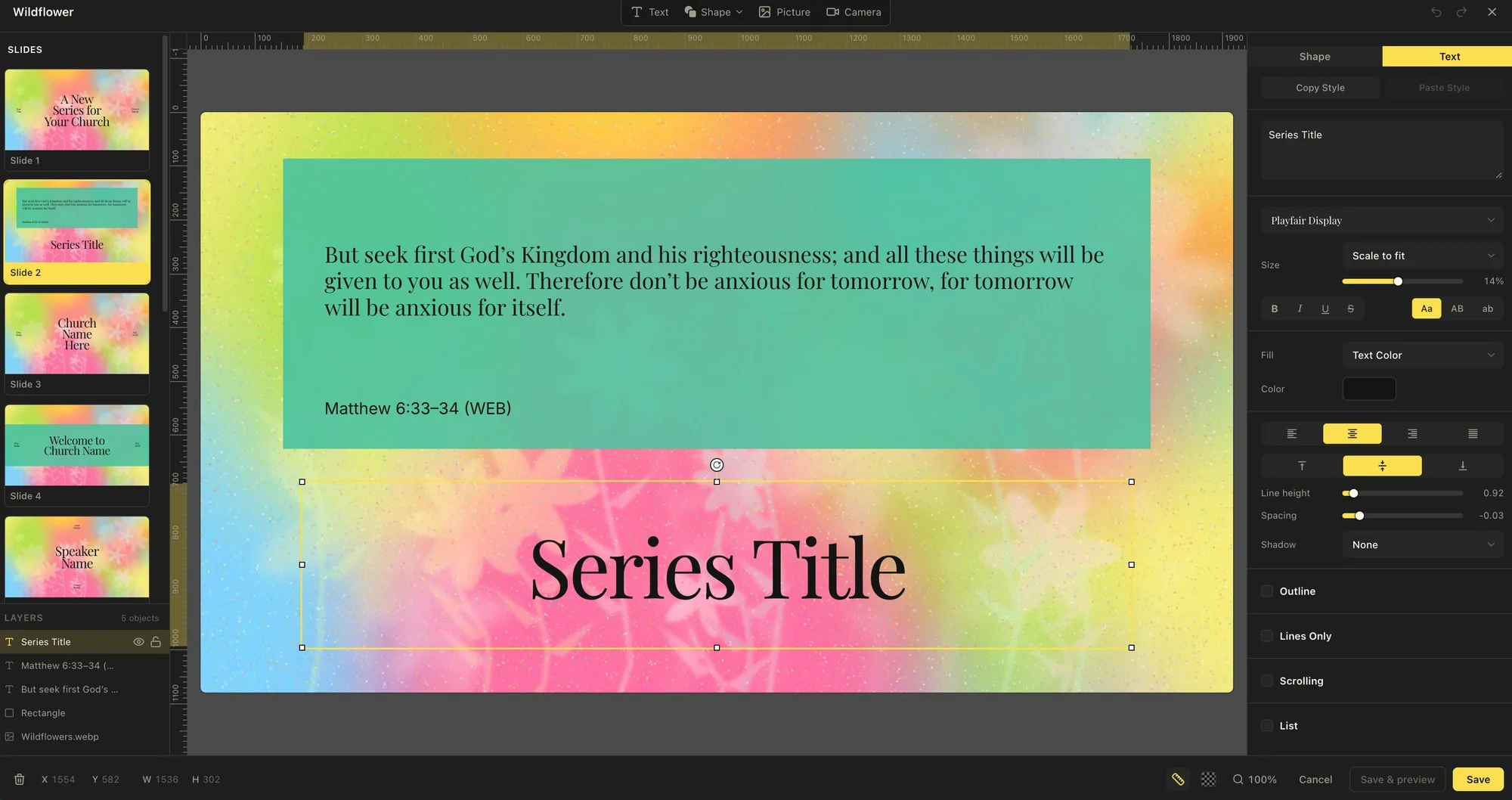
Every slide opens in the same editor as your own: change the words, fonts and colors, and drag, resize or swap the pictures, which are layers like everything else. Your church name and series title are a click away.

Read the Presentations guide
A Wildflower slide in the slide editor, with the series title selected and its font, size and color in the inspector

Free to start. More in the Library.

Every church gets free templates. The crowned ones come with the Template Library, added to Pro.

Free templates

$0

on every plan

  • Templates for every part of the service
  • Change any text, picture or color
  • On every plan, Free included

Template Library

$28

a month, as Pro + Template Library

  • Every crowned template in the gallery
  • New templates every month
  • Everything in Pro, desktop app included
See plans

Common questions

Are the templates free?

Many are, on every plan including Free. The ones marked with a crown are part of the Template Library, which comes with the Pro + Template Library plan ($28 a month, or $280 a year).

Can I change a template after I add it?

Yes. Using a template makes an ordinary presentation of your own: change any text, font, color or picture, add or remove slides, and the template itself stays as it was for next time.

Do templates work offline and in the desktop app?

Yes. A template’s pictures download once when you use it, then the presentation runs without a connection, in the browser and in the Mac and Windows desktop app alike.

What if I cancel the Template Library?

Presentations you already made from it stay yours, with every slide and picture. You can no longer add new decks from crowned templates until you add the Library again.

Your next slides are already designed.

Open the template gallery from Presentations, pick a design for this Sunday, and make it yours in a minute.

No credit card required