Both languages live, together
Select a slide once and the room sees the English lines and the Spanish lines together, in the order you set. The live preview shows the finished slide before and while it is on screen.
See both languages live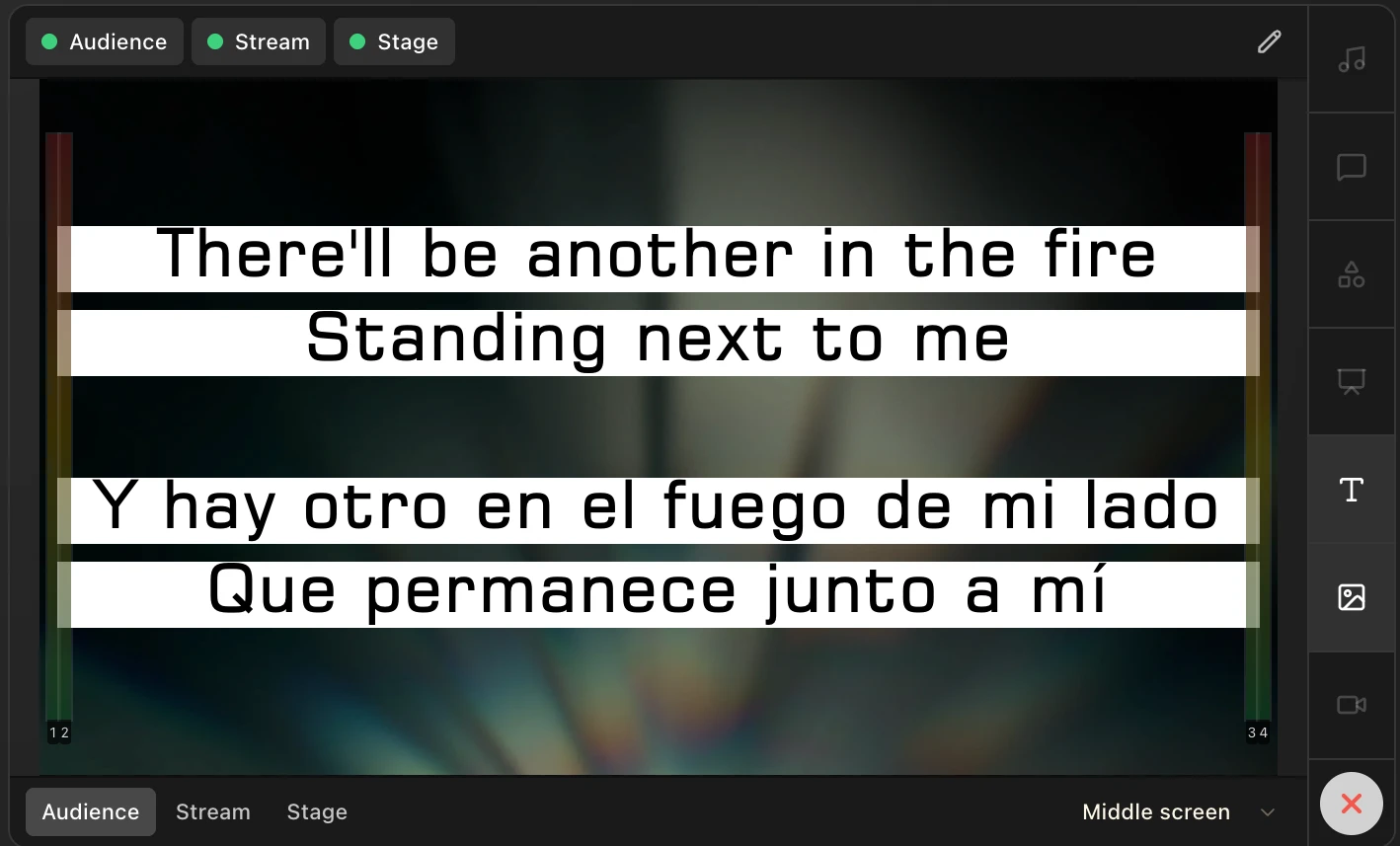
Feature
Keep a song’s original lyrics and its translation on the same slides. Switch each language on or off for the room, pick the one your stage display and livestream show, and choose which language you read on the slide cards.
One set of slides carries both languages. You decide which ones the room, the stage, and the livestream see.
Select a slide once and the room sees the English lines and the Spanish lines together, in the order you set. The live preview shows the finished slide before and while it is on screen.
See both languages liveTurn English, Spanish, or both on for the room. Then pick the one language the stage display shows the worship team, and the one the livestream’s lyric straps use. Drag to change their order.
Choose what each screen shows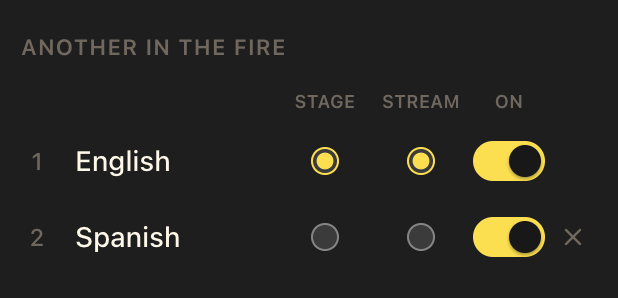
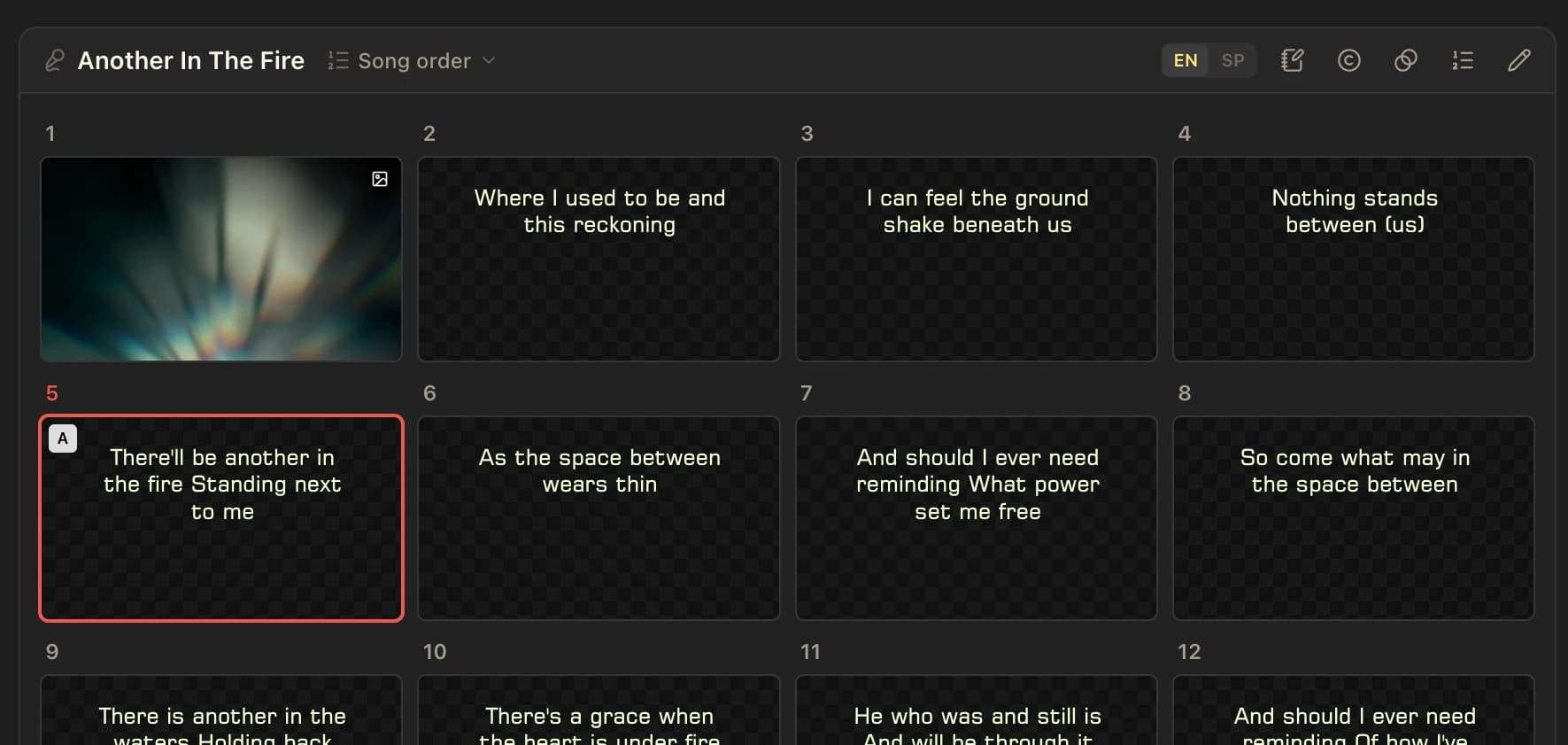
Type the original and the translation side by side on every slide in the song editor. They stay paired through each verse and chorus, so one click advances both.
Build a bilingual song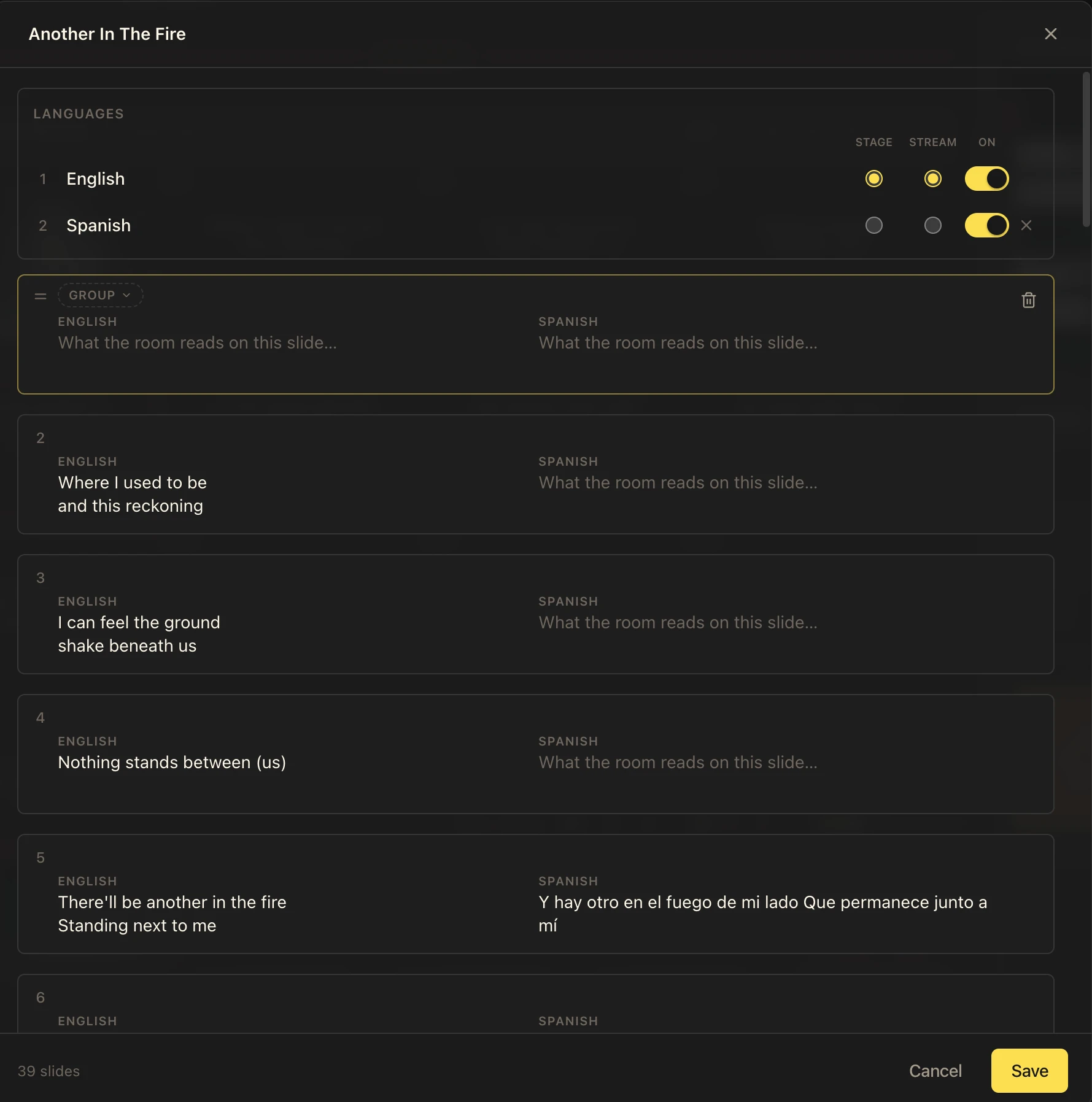
Open a song, add a language under Languages, and name both.
Type the matching lyrics on each slide; both live on the same cue.
Switch languages on for the room, and pick the Stage and Stream language.
Every click advances both languages on every screen together.
A song can carry two languages on the same slides. Bible passages can show up to three translations side by side.
Yes. Turn both languages on for the room, then choose the single language the stage display uses.
Yes. The livestream’s lyric straps use the language you pick under Stream, independent of what the projector shows.
It changes which language the slide cards show you in the console. It does not change what any screen shows.
No. Both languages live on the same slides, so there is one cue to follow and nothing to keep in step.
Yes. Song languages and the per-screen language choices work on the Free plan in the browser.
Pricing
Song languages and the per-screen language choices work in the browser on Free. Choose Pro for extra outputs and the Mac and Windows desktop app. One subscription covers web and desktop.
$0
forever
In your browser, for every Sunday.
No card required.
$19
per month
The desktop app, and room to grow.
Everything in Free, plus
Monthly subscription. Cancel any time.
A seat activates the desktop app on one computer, with all of its screens and remotes. Pro includes 1 seat. A second campus, youth room or kids' service on its own computer? Add a seat for $9 a month.
Seats
1 seat included with Pro
$19/month
$19 Pro, before applicable tax
Build a bilingual song, route each language, and style both in a template.
Show several translations together and choose each screen’s languages.
How LlamaPresenter serves churches that worship in more than one language.
Give the worship team their language on a confidence monitor.
Run the projector, livestream, and stage outputs from one console.
Present scripture and lyrics in two languages every Sunday.
Put the original and the translation on the same slides, then give every screen the language it needs.
Try LlamaPresenter